OK, Infinigraph is out! We can handle very large graphs, up to TBs of data… but how can we test it without spending weeks populating a large cluster and, above all, without spending a fortune on your favorite cloud provider?
First of all, here is a simple hint: don’t look for the largest graph, make it proportionally large. For example, if you are aiming to test a 10TB graph hosted in a 10-property-shard cluster with 1TB of RAM each, you can first test a 1TB graph on 10 property shards with 100GB of RAM each. In other words, you can reduce the data size and proportionally scale down your infrastructure resources. Of course, the results will not be perfectly comparable, but they will give you a rough idea of how Infinigraph works and what you can expect from a large installation with more data, RAM, and storage. The suggestion is to proportionally change two dimensions: graph size and available RAM. Other dimensions, such as I/O and CPU, may be more complicated to allocate proportionally to your reduced graph.
The Minimal Test
You can’t wait to test Infinigraph and you don’t want to spend a single dime on cloud instances? Here is how you can test Infinigraph on one of the most popular tools for Neo4j users: Neo4j Desktop.
If you do not have Neo4j Desktop installed on your laptop or desktop yet, just follow the link – https://neo4j.com/download/
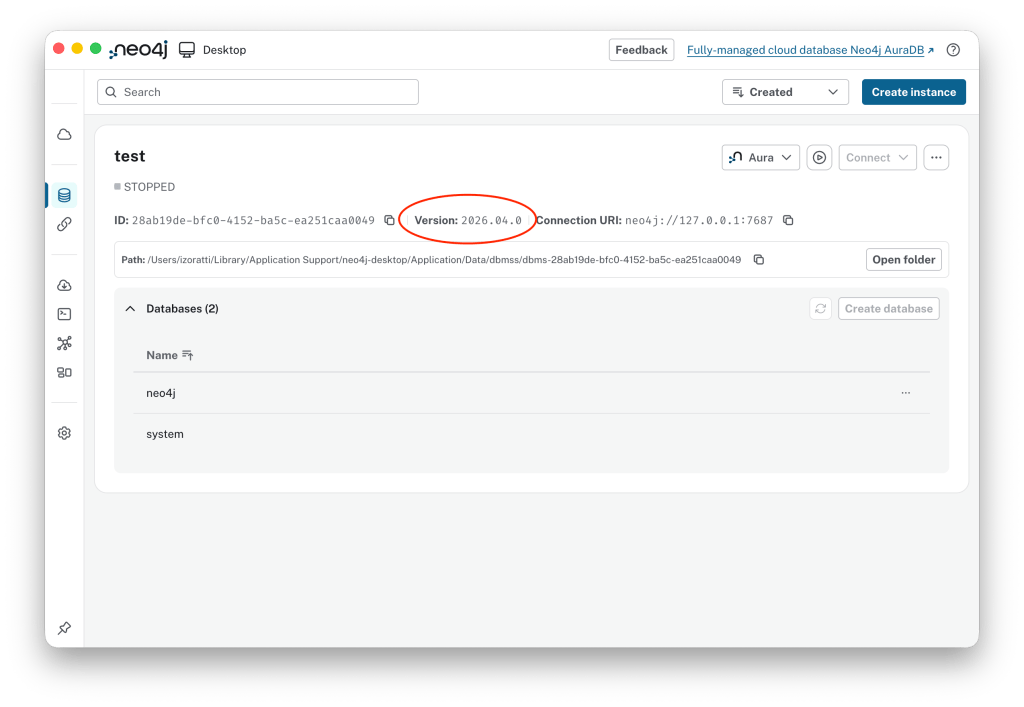
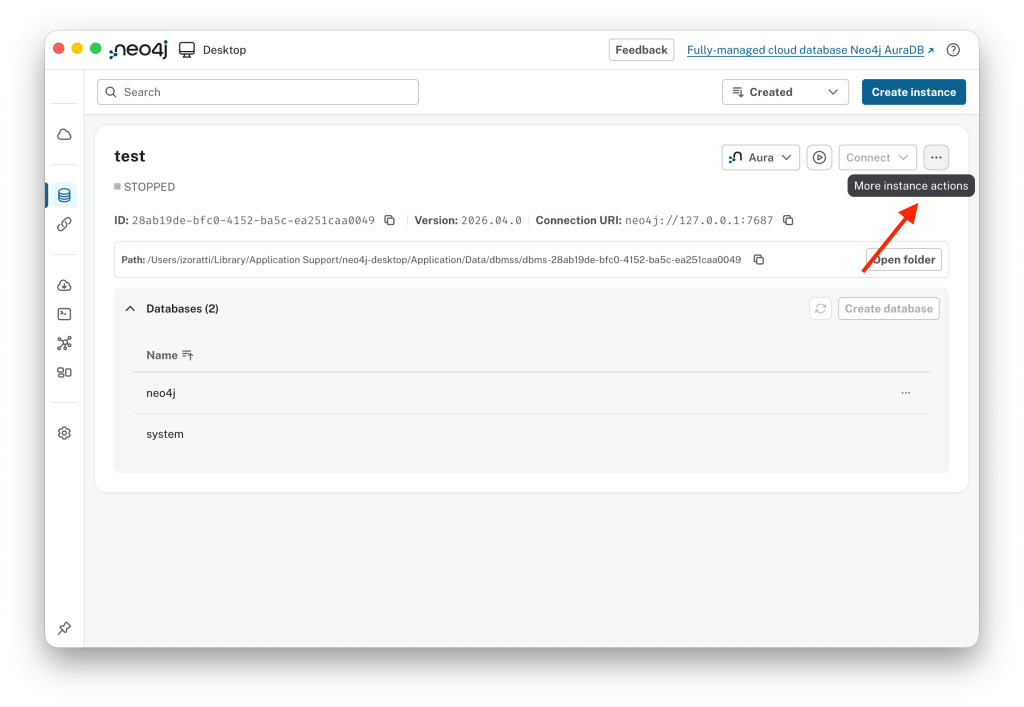
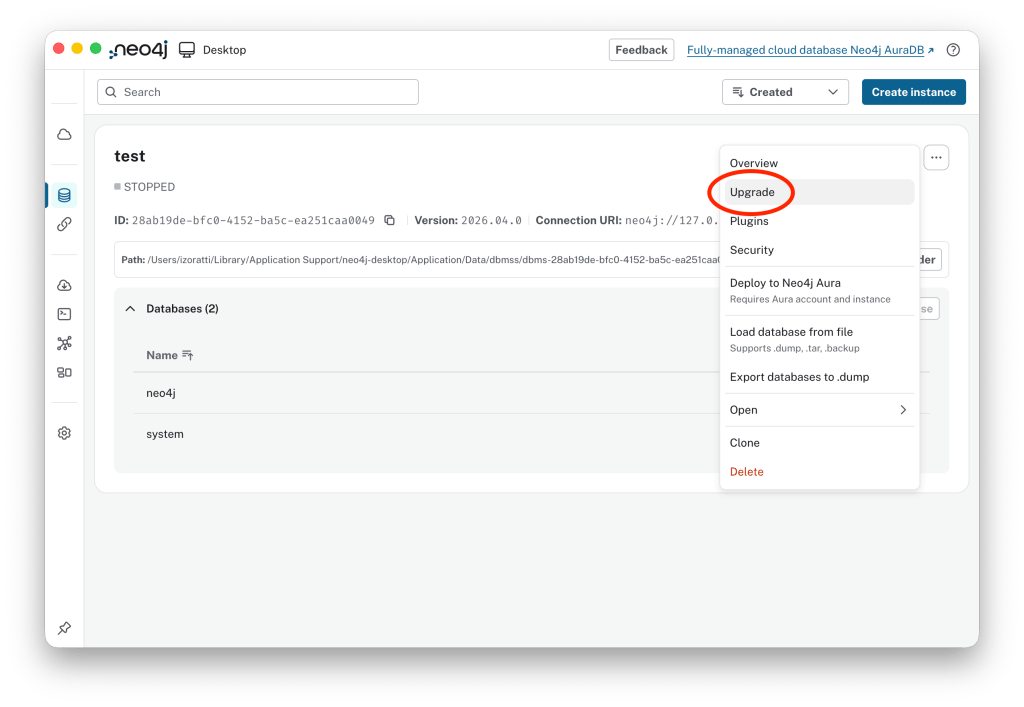
Once you have downloaded and installed Neo4j Desktop, or perhaps you have already installed Neo4j Desktop, you need to check the version of your Neo4j instance. This is a relatively tricky bit: in Neo4j Desktop you have a version specifying your tool (for example Neo4j Desktop 2.1.4) and a version specifying your database server (for example Neo4j 2026.04.0). What you need to do is to upgrade the local Neo4j instance to the latest version. In the case shown in the picture below, we are running 2026.04.0, which has one of the latest versions of Infinigraph. Nevertheless, the recommendation is to click on the three-dot button in the top right corner and select Upgrade.
See the current version running is 2026.04.0:
Now click on the three-dot button:
Select Upgrade:
Then the latest available version (here 2026.05.0):
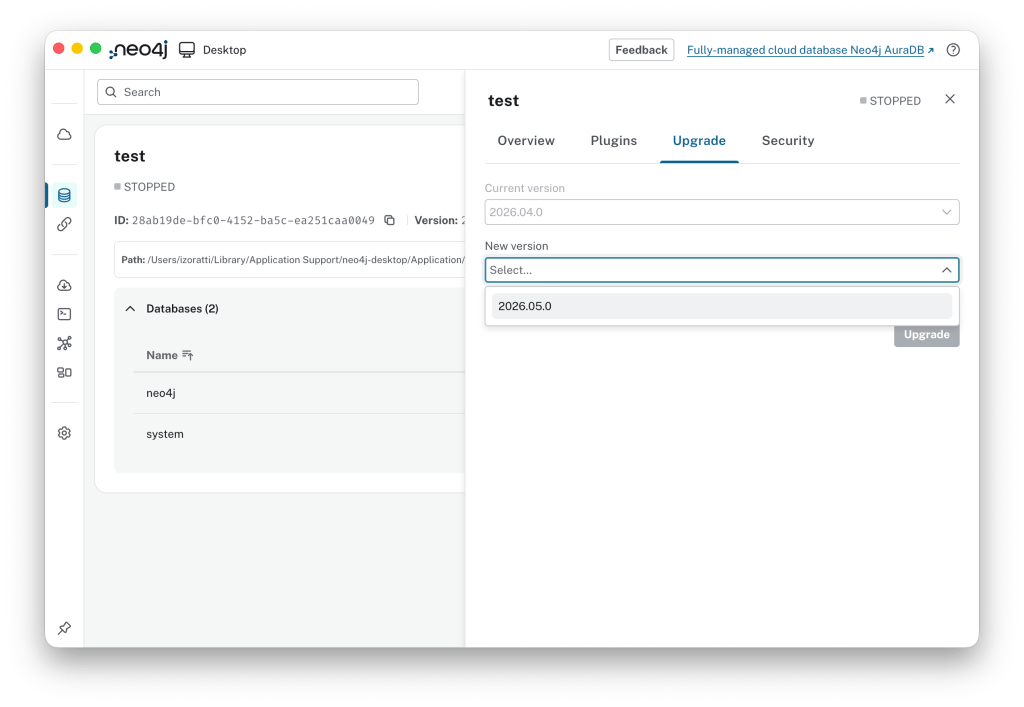
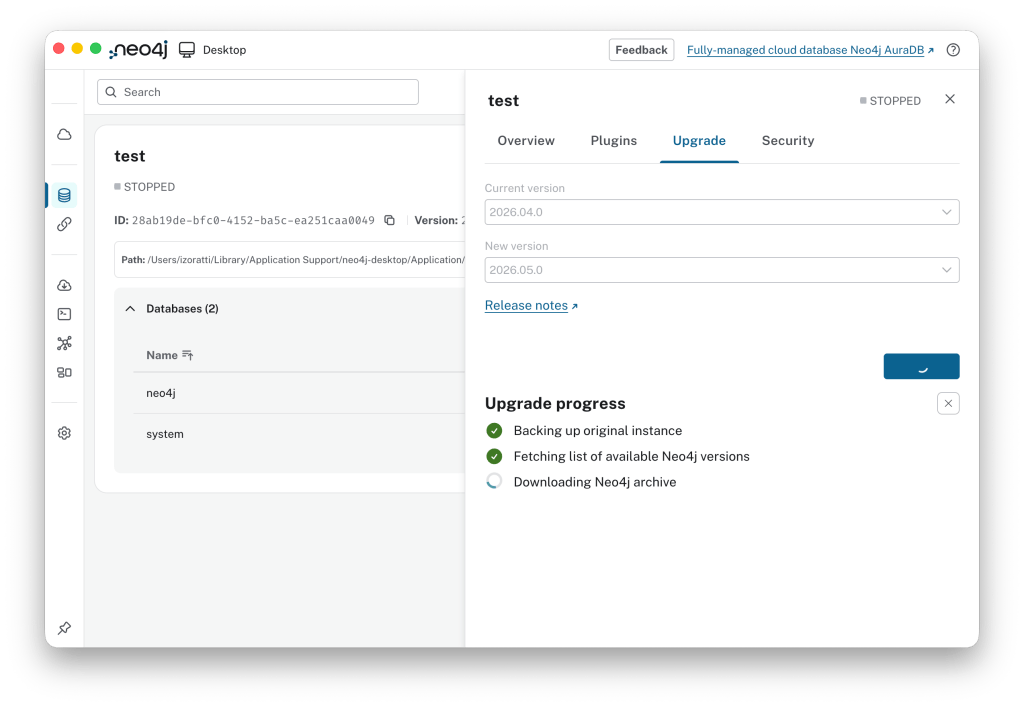
…and now you are on the latest version of Neo4j.
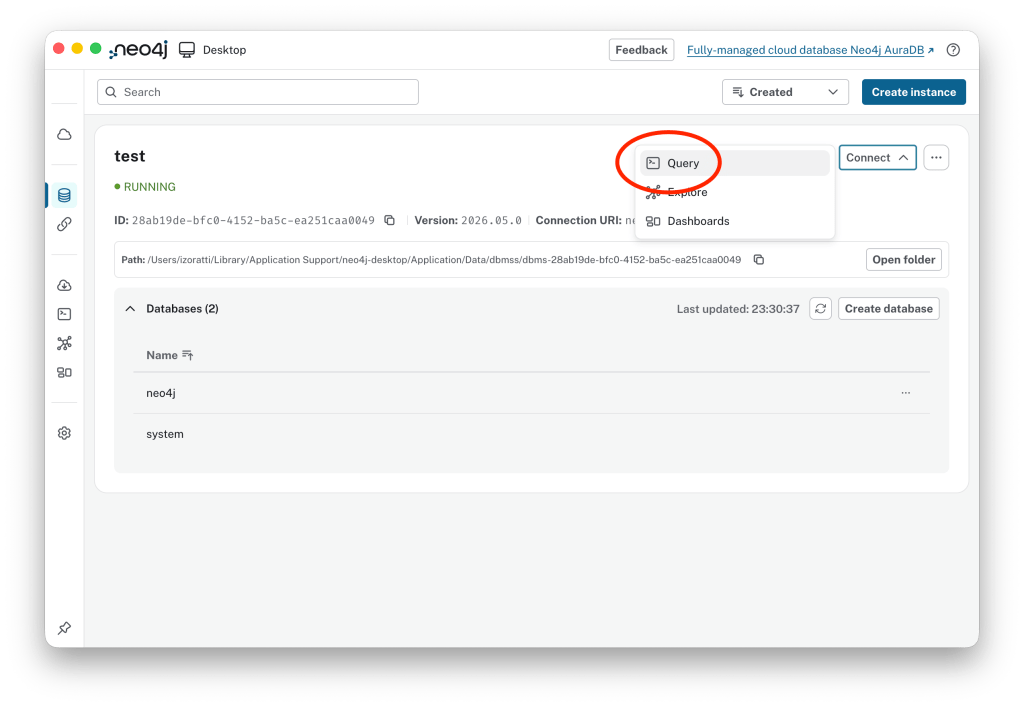
Once the upgrade process is completed, click the Play button to start the instance, then connect by opening the Query tool, aka Browser.
Database Creation
Now you are ready to create your first Infinigraph database. All you have to do is to execute a CREATE DATABASE command, for example:
CYPHER 25CREATE DATABASE infinitestPROPERTY SHARDS { COUNT 5 };
Here is what we have explicitly and implicitly set:
CYPHER 25: The command we are executing is parsed by Cypher version 25. The Cypher version may not be strictly necessary, but explicitly setting it will avoid potential errors.CREATE DATABASE infinitest: The exact same command used to create a non-sharded database is also available for sharded databases.- Implicit:
GRAPH SHARD { TOPOLOGY 1 PRIMARY 0 SECONDARIES }: This part is implicit; it is not present in the command, but it could be added for completeness. It indicates that the graph shard has one copy of the data. In other words, we are not creating a database in a clustered environment with multiple copies of the same database. PROPERTY SHARDS { COUNT 5 TOPOLOGY 1 REPLICA }: The database will be created with 5 property shards (p. 9). The topology is implicitly set to one replica per shard, meaning we will not create multiple copies of the same shard for scalability and high availability.
Et voilà: you have just created your first Infinigraph database!
Is it helpful to create a sharded database on a single Neo4j Desktop instance? No, of course not. There is no scalability and no high availability, just extra resources used for no reason other than learning, testing, and satisfying our curiosity about the technology.
Behind the scenes…
Let’s explore the databases available on this instance to check what happened behind the scenes. The SHOW DATABASES command shows 7 new rows with these names:
infinitest: This is the “virtual” database created to access an Infinigraph structure. The type is set to standard, which means that a database with this name can be called to execute DDL and DML commands.infinitest-g000: This is the graph shard database, which hosts the topology of your graph.infinitest-p000toinfinitest-p004: These are the five property shard databases, that host the properties of nodes and relationships in your graph.
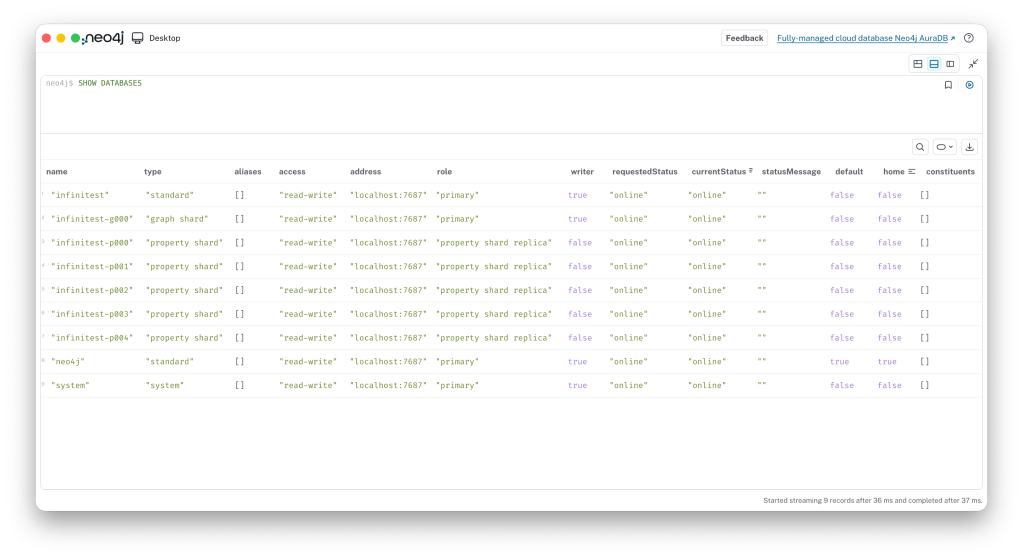
Although users see the physical databases created by Infinigraph, they will always work with the virtual database and will never need to access the physical shards directly. In fact, to prevent basic mistakes, access to the shards is blocked so users can neither read from nor write to them.
Loading some data
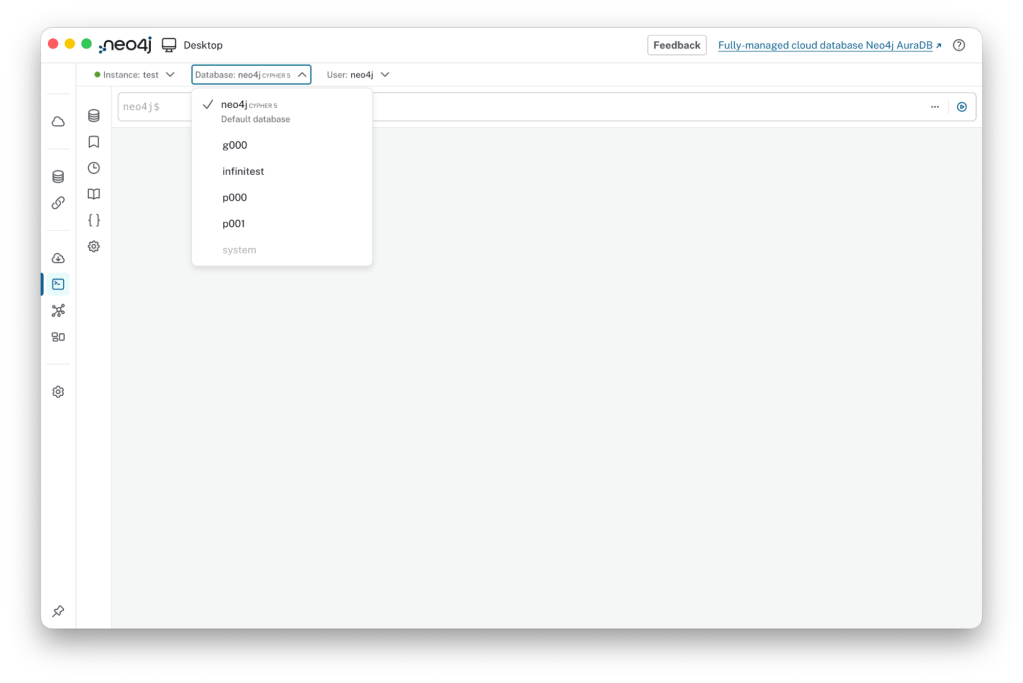
Now that we have created a sharded database, let’s load some data. First, select infinitest from the dropdown list.
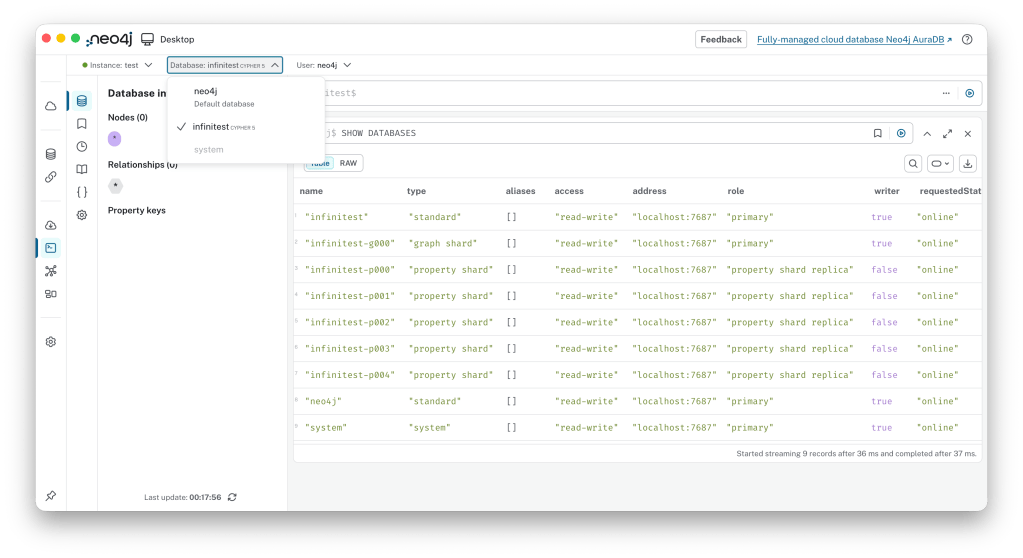
Then let’s load some data using the apoc.example.movies procedure:
CALL apoc.example.movies()
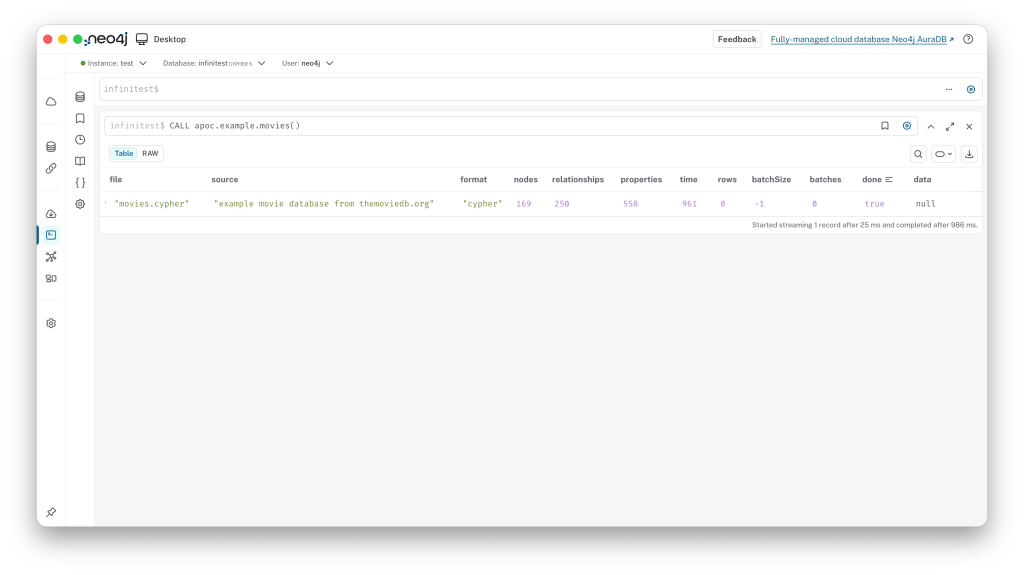
Now you have loaded the first set of data into an Infinigraph database. If you want to check the result you can simply run:
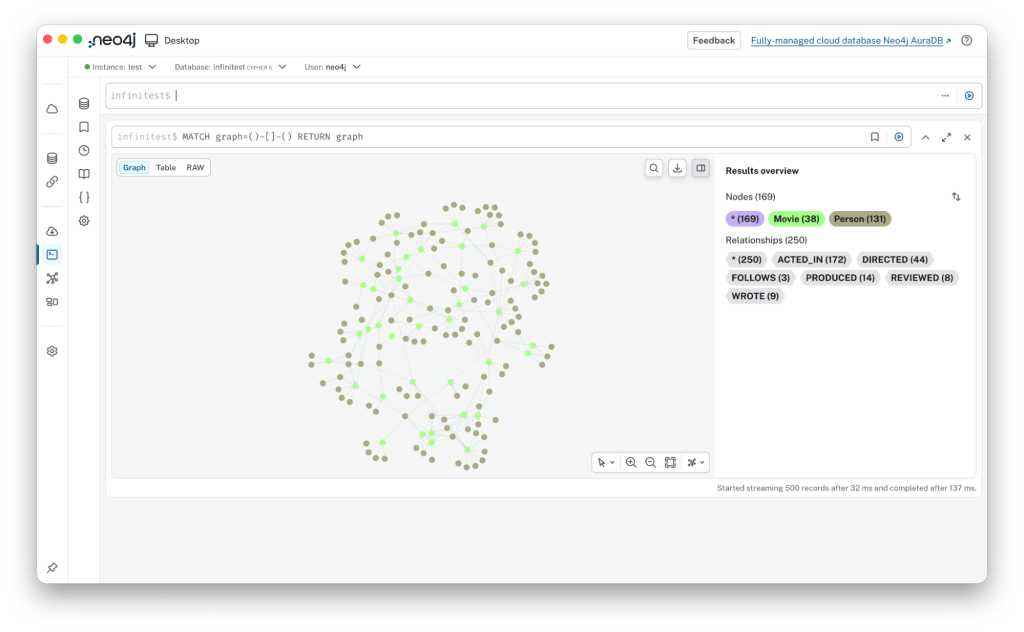
MATCH graph=()-[]-() RETURN graph
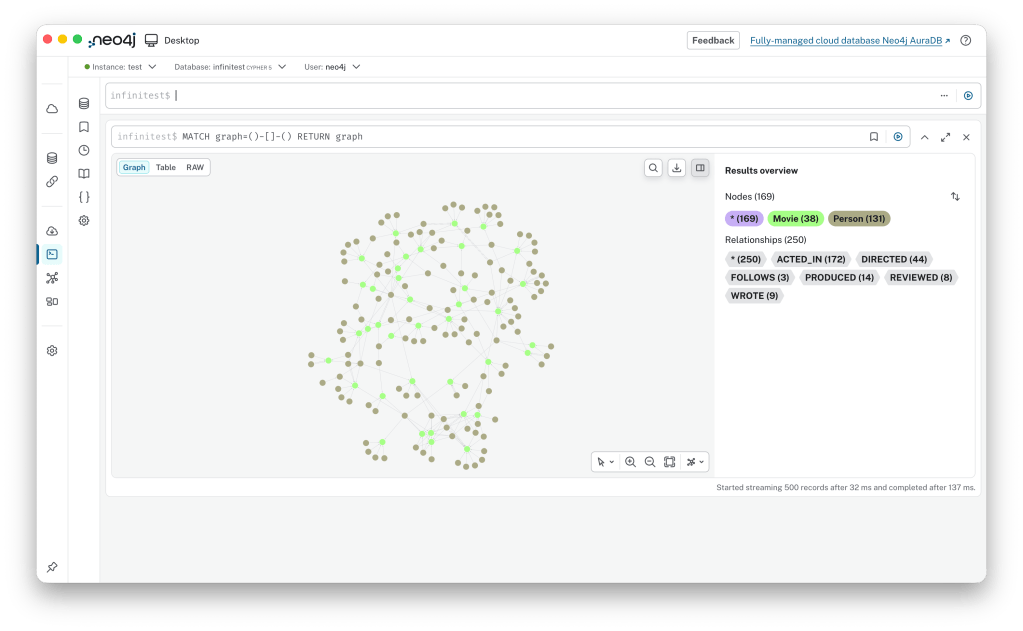
That’s it! You have simply written into a sharded database and retrieved data from all shards to visualise it.
Deep Dive: Inspecting Shards
If you are really curious!
Now, if you are as curious about this technology as I am, you might want to see what’s inside the shard databases. There are many ways to look into the shards, even though direct user access is blocked.
First of all, create three databases to use as testbed: g000, p000 and p001:
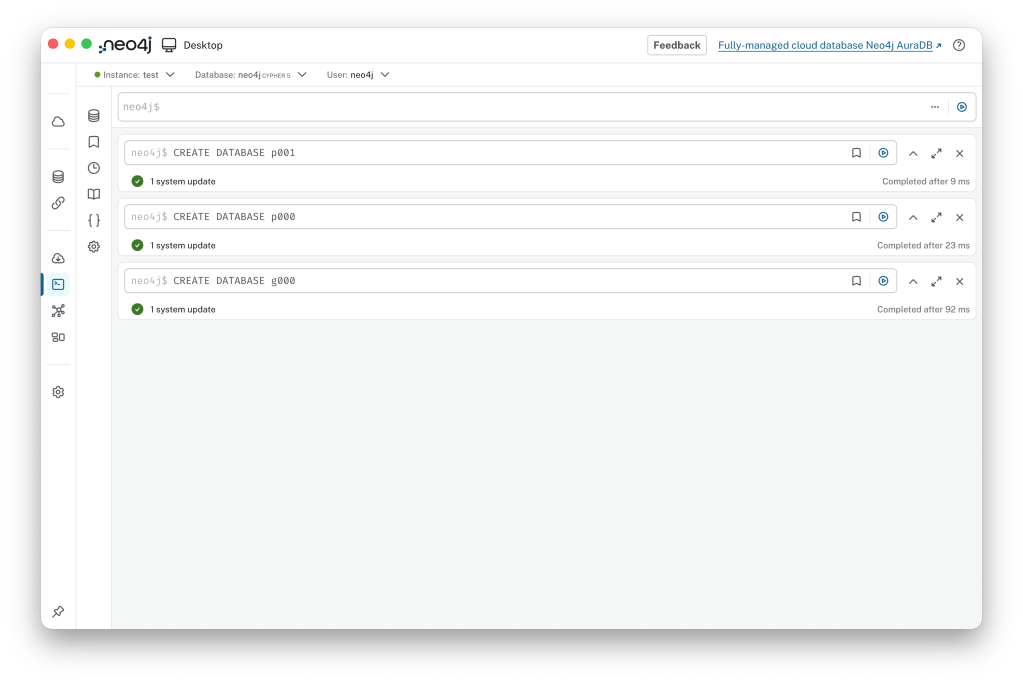
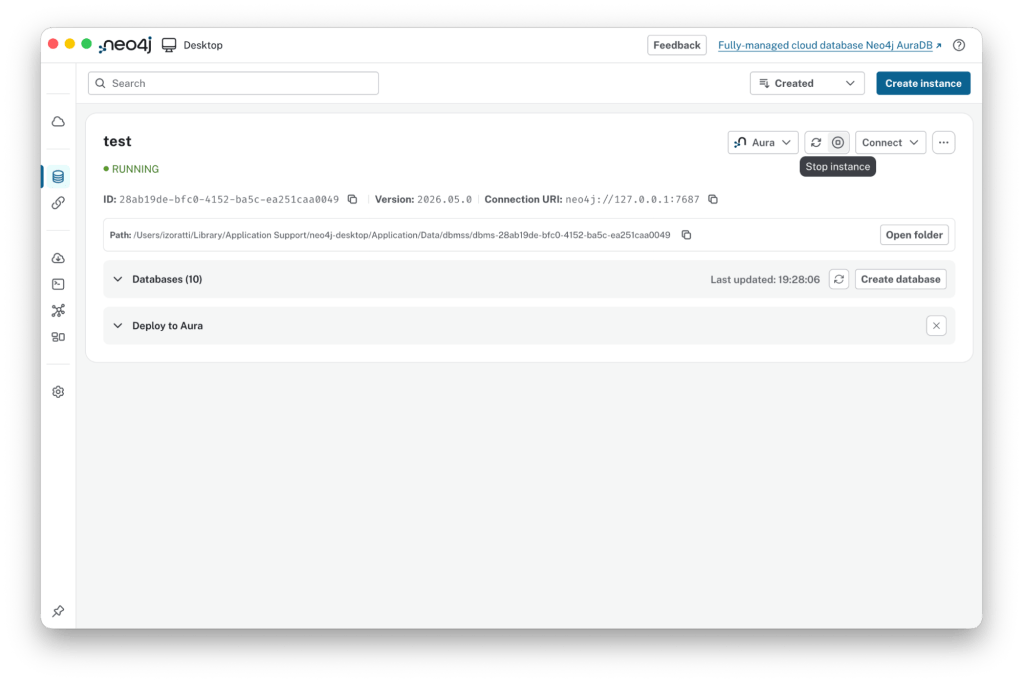
Now, stop the instance by clicking the Stop button in the top right corner of the Neo4j Desktop window:
Then, you can dump the shard databases. To do this, click the three-dots button and select Export databases to .dump from the actions list:
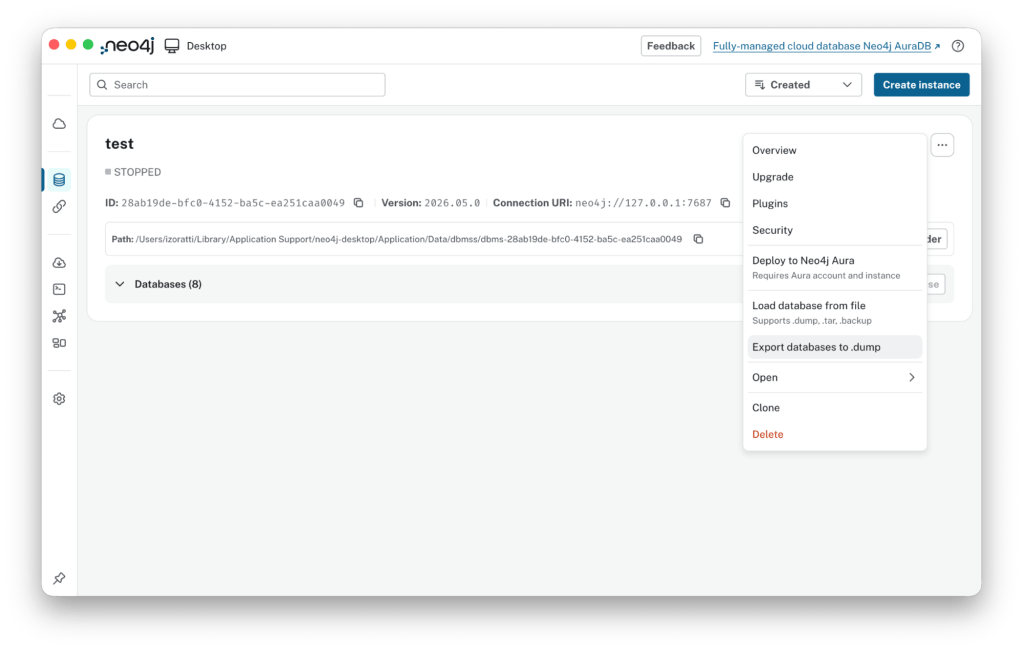
…here you can select the databases you want to dump:
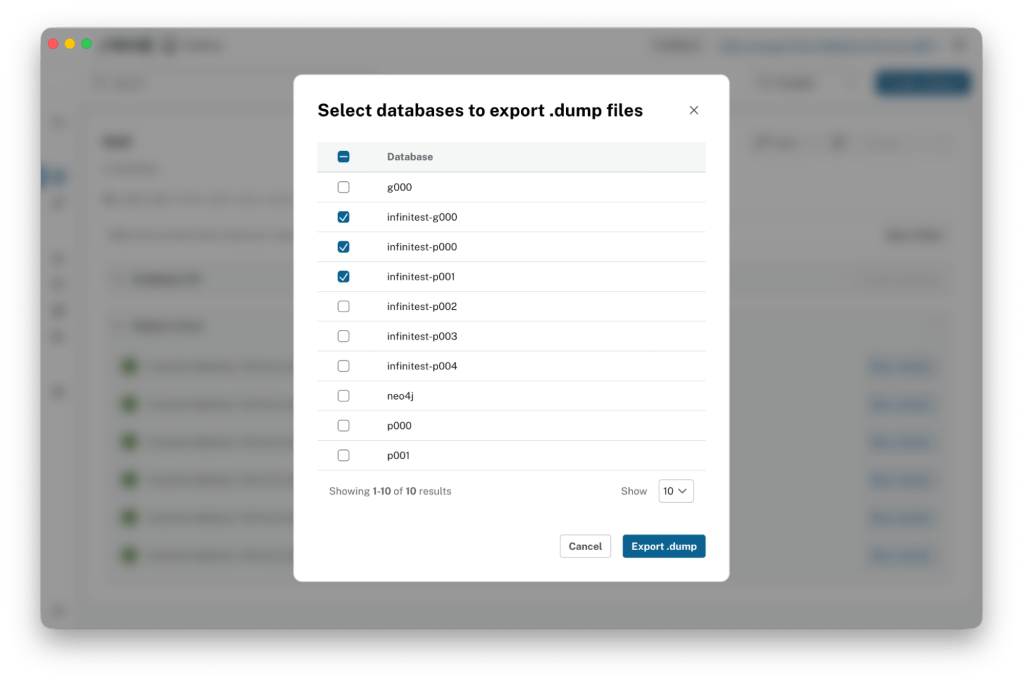
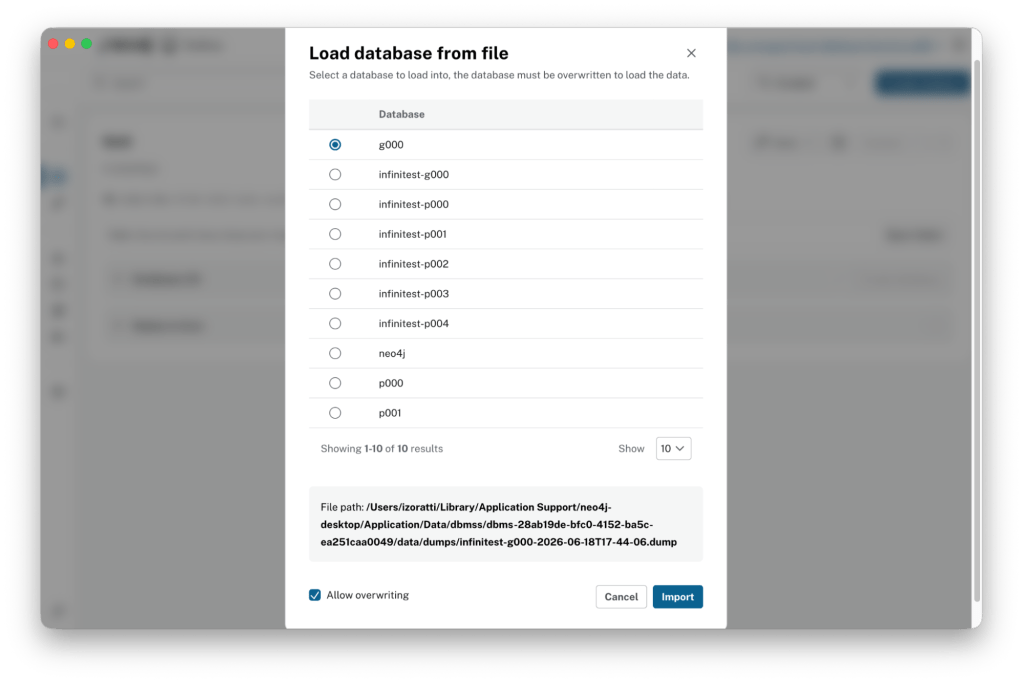
Once you have completed the dumps, you can reload the shards as regular databases. Select the Load database from file option and choose infinitest-g000… as the database you want to load:
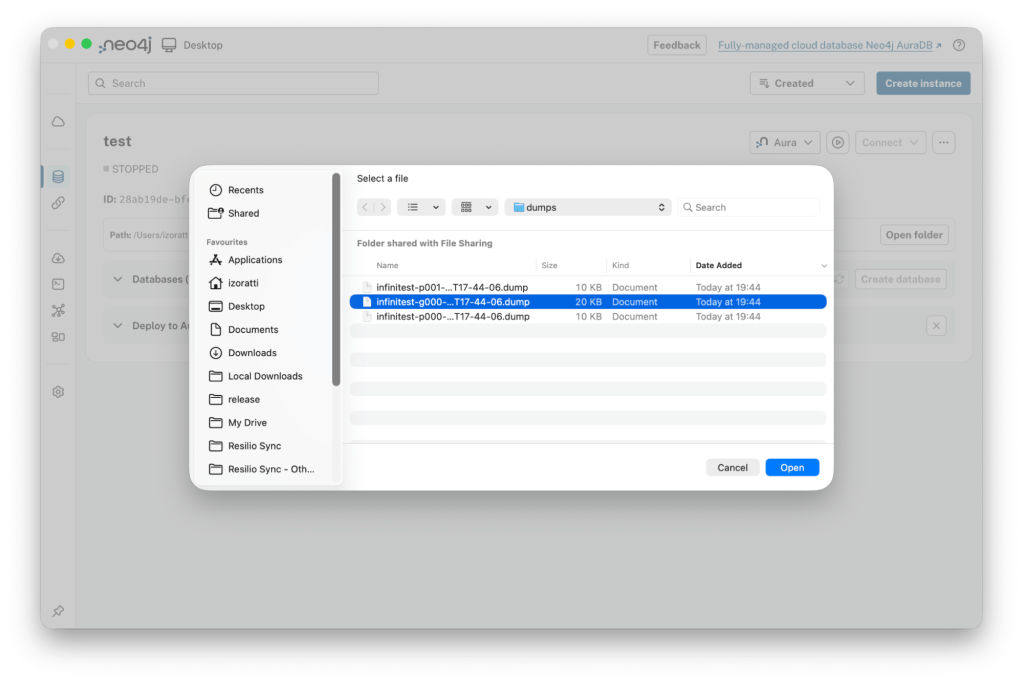
Unfortunately, Neo4j Desktop automatically starts after a load completes. To load p000 and p001, you must stop the instance again and load those databases the same way (by stopping the server, selecting the dump and loading). Don’t forget to select the right target database and check Allow overwriting.
As a final result you will see three databases – g000, p000 and p001 – open and available for verification.
Let’s Explore!
Let’s explore the content of the three databases. Starting with g000, the topology is exactly the same as what you see when you executing the identical query on infinitest.
Digging a bit deeper into the data, here is what we find… Let’s execute a couple of queries on infinitest, on g000, p000 and p001.
The first query will help us understand where the node data is stored:
// Use LIMIT 25 for infinitest and g000
// Use LIMIT 5 for p000 and p001
 MATCH (n)
RETURN id(n) AS internalID, n
 ORDER BY internalID LIMIT 5
This is the result, I added some coloured squares to facilitate the reading:
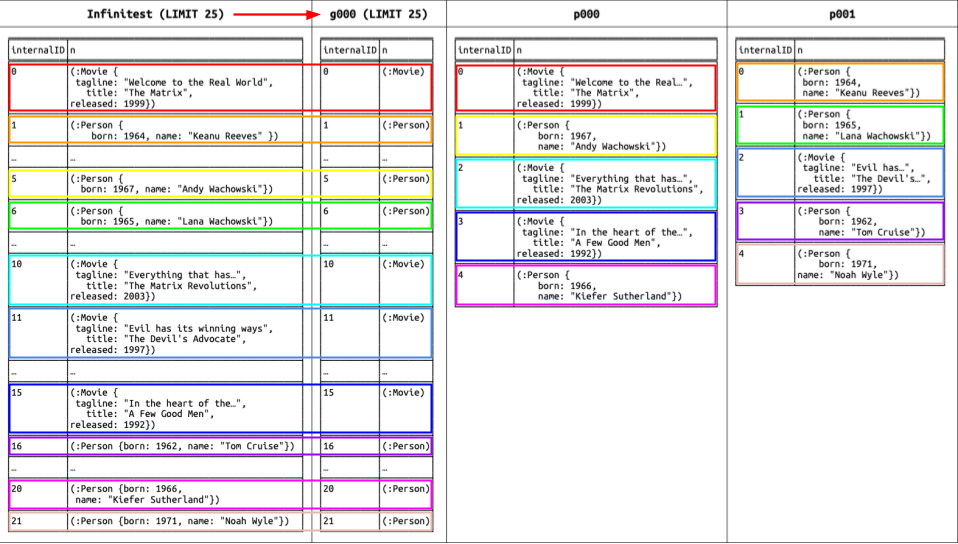
Here is what we found:
g000, (the graph shard), has exactly the same nodes you can see in infinitest, but without properties.- Nodes available in
g000are replicated in the property shards using a hash function. Considering we created a database with 5 shards,p000stores the first, sixth, eleventh, sixteenth, etc., nodes, whilep001stores the second, seventh, twelfth, seventeenth, etc., nodes. You can verify this assumption by looking at the IDs in infinitest to see where the nodes reside.
Now let’s take a look at the relationships by executing the second query:
// Use LIMIT 25 for infinitest and g000
// Use LIMIT 5 for p000 and p001
MATCH (n)
 WITH n
ORDER BY id(n)
MATCH (n)-[r]->(m)
 WITH n, r, m
ORDER BY id(r)
RETURN id(n) AS Start, n, id(r) AS relID, r, id(m) AS End, m ORDER BY Start, relID LIMIT 25
This query is a little more complicated; we want to retrieve the relationships associated with a small number of nodes and order them by starting node and relationship ID just to simplify the checks.
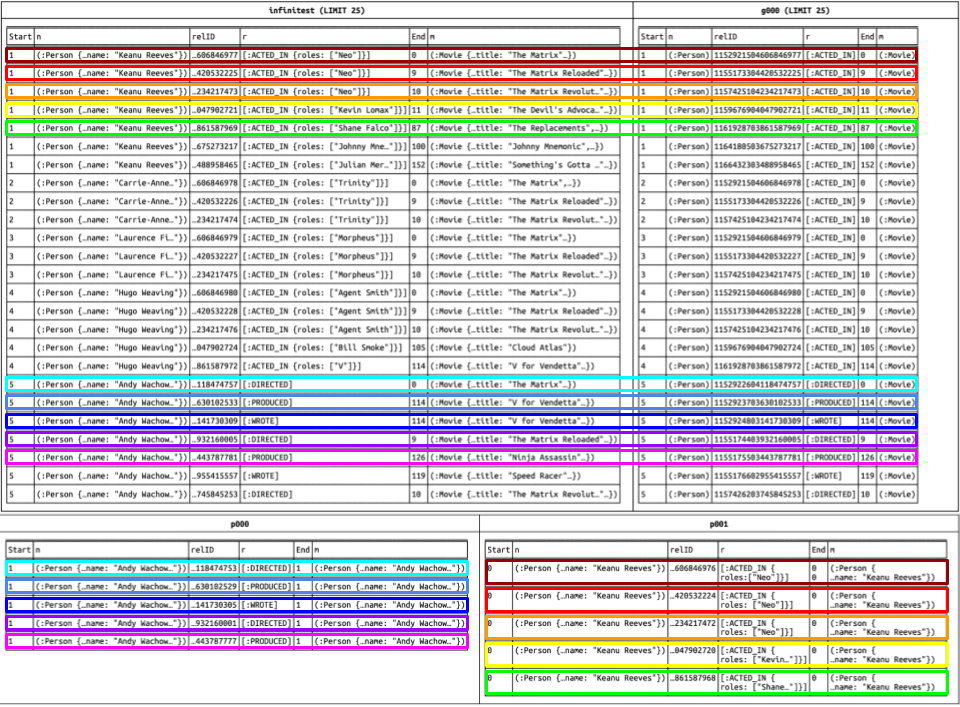
Here is what we found:
- Again,
g000has the same nodes and relationships you see in infinitest, but without properties. - Relationships in the property shards are “attached” to the starting node. It’s interesting to note that they also end at that same starting node. Because an end node might not reside in the same shard, we decided to ignore the end node in the property shards to maintain full consistency with the underlying store format.
For these reasons, a node labeled :Person related to Andy Wachowski is connected to a node labeled :Movie with the :DIRECTED type. This is visible in the row with start ID 5 and end ID 0 in infinitest and g000, and it is stored in p000 with start ID 1 (the first line). Note that while there are no properties to store in this case, the relationship is always present in the property shard.
What’s Next?
This was a fairly long post, but I hope it satisfied your curiosity! In an upcoming post, we will touch base on resource usage and performance.

