Author: izoratti

  • Testing Infinigraph – The Minimalistic Way

    OK, Infinigraph is out! We can handle very large graphs, up to TBs of data… but how can we test it without spending weeks populating a large cluster and, above all, without spending a fortune on your favorite cloud provider?

    First of all, here is a simple hint: don’t look for the largest graph, make it proportionally large. For example, if you are aiming to test a 10TB graph hosted in a 10-property-shard cluster with 1TB of RAM each, you can first test a 1TB graph on 10 property shards with 100GB of RAM each. In other words, you can reduce the data size and proportionally scale down your infrastructure resources. Of course, the results will not be perfectly comparable, but they will give you a rough idea of how Infinigraph works and what you can expect from a large installation with more data, RAM, and storage. The suggestion is to proportionally change two dimensions: graph size and available RAM. Other dimensions, such as I/O and CPU, may be more complicated to allocate proportionally to your reduced graph.

    The Minimal Test

    You can’t wait to test Infinigraph and you don’t want to spend a single dime on cloud instances? Here is how you can test Infinigraph on one of the most popular tools for Neo4j users: Neo4j Desktop.

    If you do not have Neo4j Desktop installed on your laptop or desktop yet, just follow the link – https://neo4j.com/download/ 

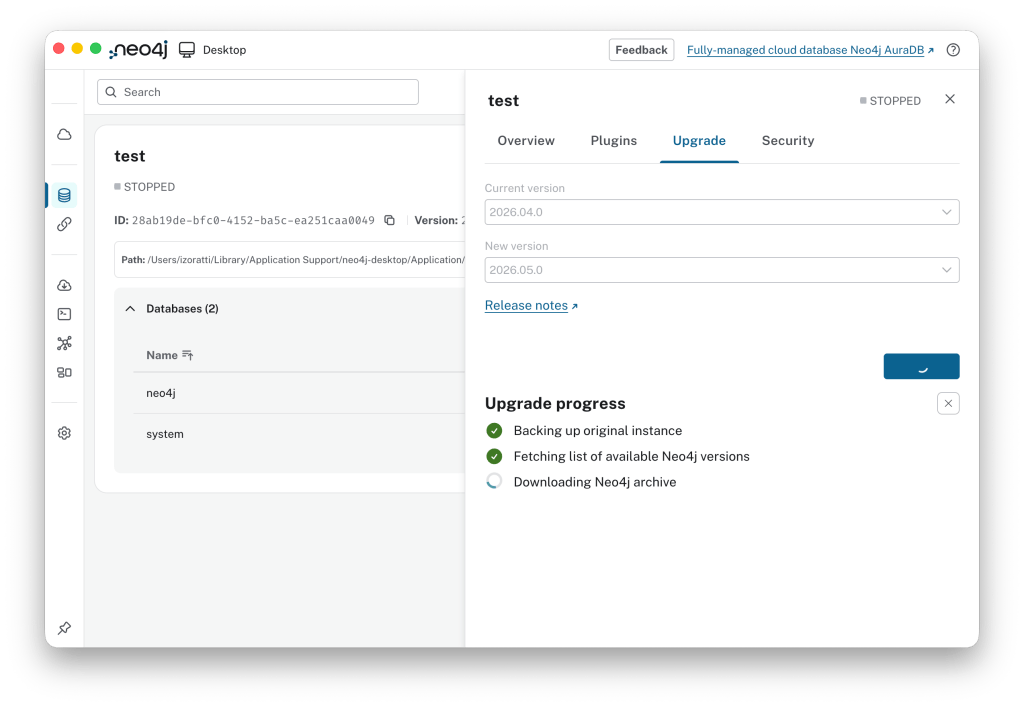
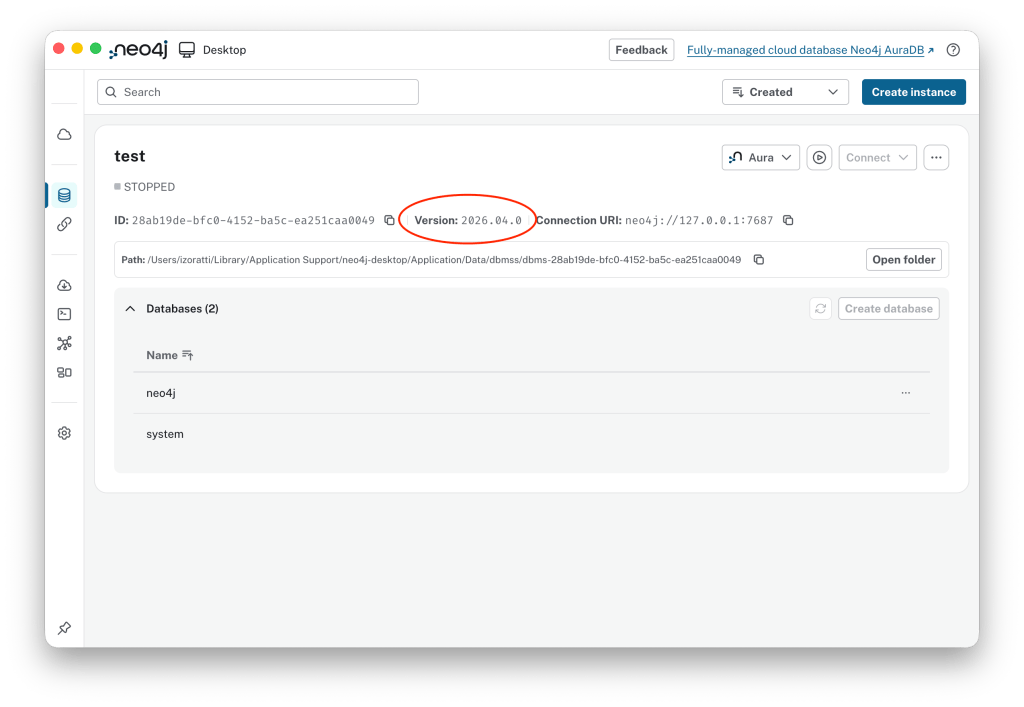
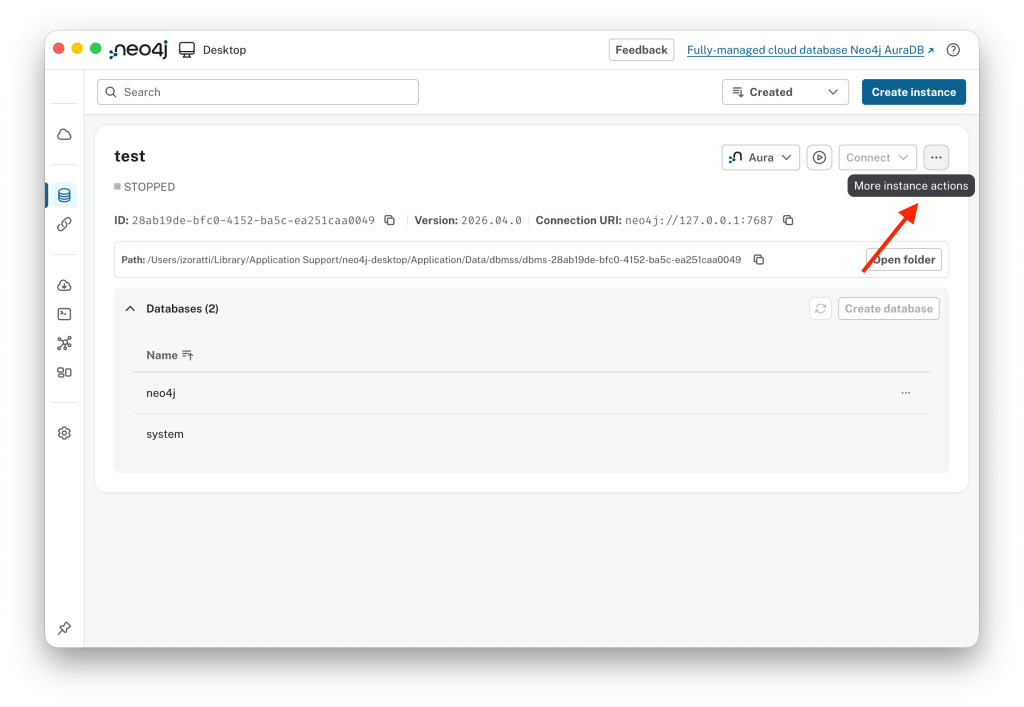
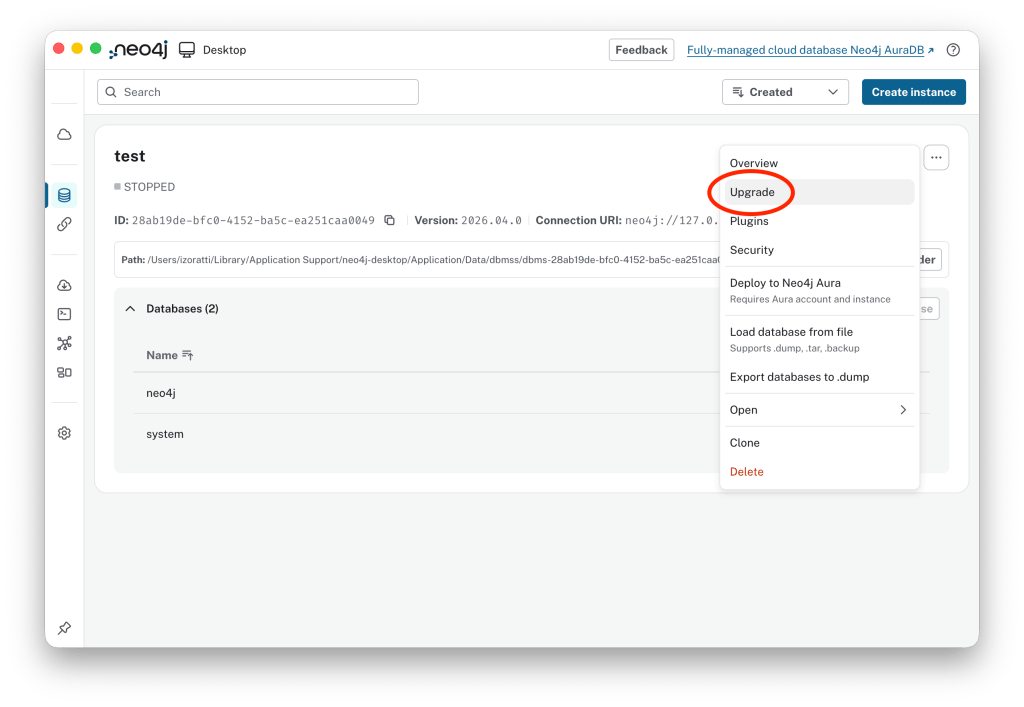
    Once you have downloaded and installed Neo4j Desktop, or perhaps you have already installed Neo4j Desktop, you need to check the version of your Neo4j instance. This is a relatively tricky bit: in Neo4j Desktop you have a version specifying your tool (for example Neo4j Desktop 2.1.4) and a version specifying your database server (for example Neo4j 2026.04.0). What you need to do is to upgrade the local Neo4j instance to the latest version. In the case shown in the picture below, we are running 2026.04.0, which has one of the latest versions of Infinigraph. Nevertheless, the recommendation is to click on the three-dot button in the top right corner and select Upgrade.

    See the current version running is 2026.04.0:
    Now click on the three-dot button:
    Select Upgrade:
    Then the latest available version (here 2026.05.0):
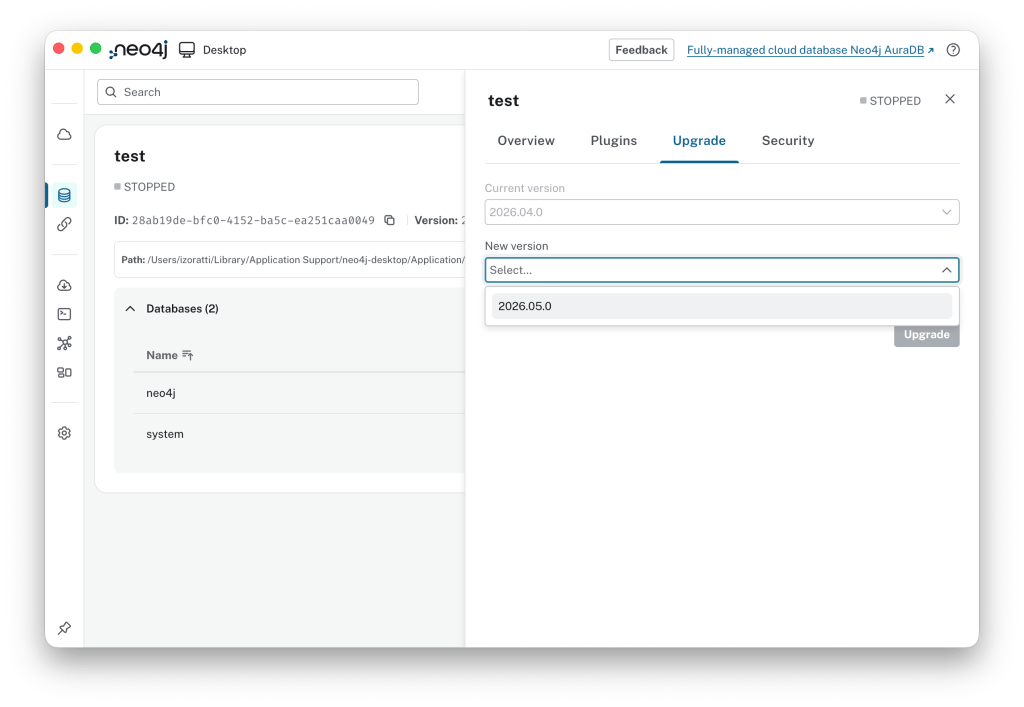
    …and now you are on the latest version of Neo4j.

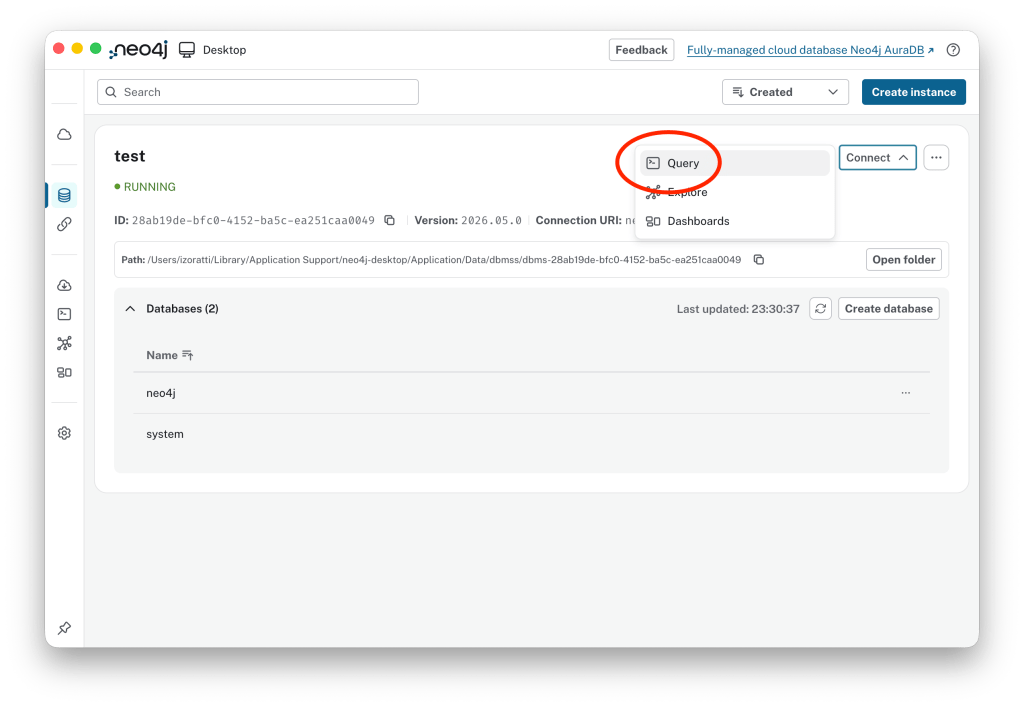
    Once the upgrade process is completed, click the Play button to start the instance, then connect by opening the Query tool, aka Browser.
    Database Creation

    Now you are ready to create your first Infinigraph database. All you have to do is to execute a CREATE DATABASE command, for example:

    CYPHER 25
    CREATE DATABASE infinitest
    PROPERTY SHARDS { COUNT 5 };

    Here is what we have explicitly and implicitly set:

    • CYPHER 25 : The command we are executing is parsed by Cypher version 25. The Cypher version may not be strictly necessary, but explicitly setting it will avoid potential errors.
    • CREATE DATABASE infinitest : The exact same command used to create a non-sharded database is also available for sharded databases.
    • Implicit: GRAPH SHARD { TOPOLOGY 1 PRIMARY 0 SECONDARIES } : This part is implicit; it is not present in the command, but it could be added for completeness. It indicates that the graph shard has one copy of the data. In other words, we are not creating a database in a clustered environment with multiple copies of the same database.
    • PROPERTY SHARDS { COUNT 5 TOPOLOGY 1 REPLICA } : The database will be created with 5 property shards (p. 9). The topology is implicitly set to one replica per shard, meaning we will not create multiple copies of the same shard for scalability and high availability.

    Et voilà: you have just created your first Infinigraph database!

    Is it helpful to create a sharded database on a single Neo4j Desktop instance? No, of course not. There is no scalability and no high availability, just extra resources used for no reason other than learning, testing, and satisfying our curiosity about the technology.

    Behind the scenes…

    Let’s explore the databases available on this instance to check what happened behind the scenes. The SHOW DATABASES command shows 7 new rows with these names:

    • infinitest : This is the “virtual” database created to access an Infinigraph structure. The type is set to standard, which means that a database with this name can be called to execute DDL and DML commands.
    • infinitest-g000 : This is the graph shard database, which hosts the topology of your graph.
    • infinitest-p000 to infinitest-p004 : These are the five property shard databases, that host the properties of nodes and relationships in your graph.
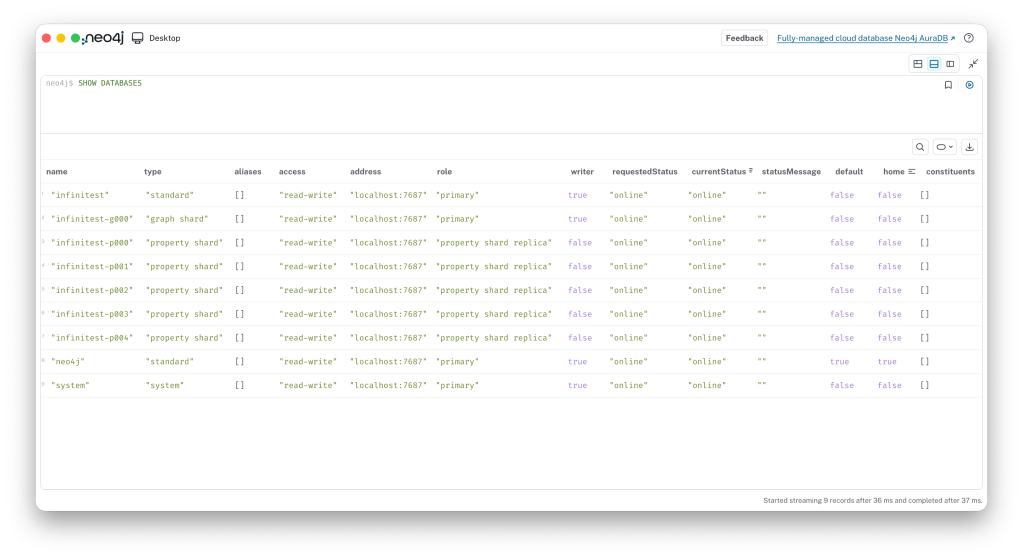
    Although users see the physical databases created by Infinigraph, they will always work with the virtual database and will never need to access the physical shards directly. In fact, to prevent basic mistakes, access to the shards is blocked so users can neither read from nor write to them.

    Loading some data

    Now that we have created a sharded database, let’s load some data. First, select infinitest from the dropdown list.
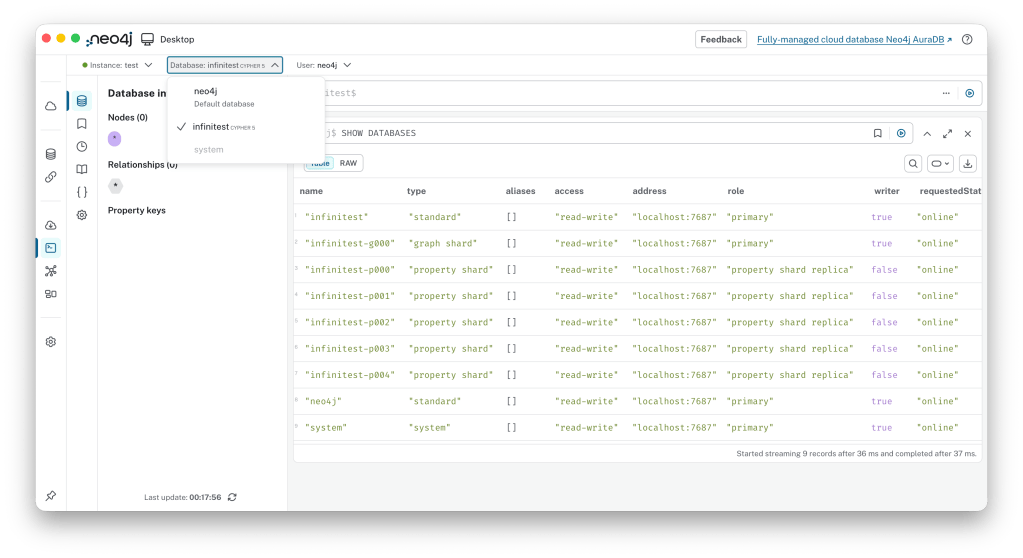
    Then let’s load some data using the apoc.example.movies procedure:

    CALL apoc.example.movies()
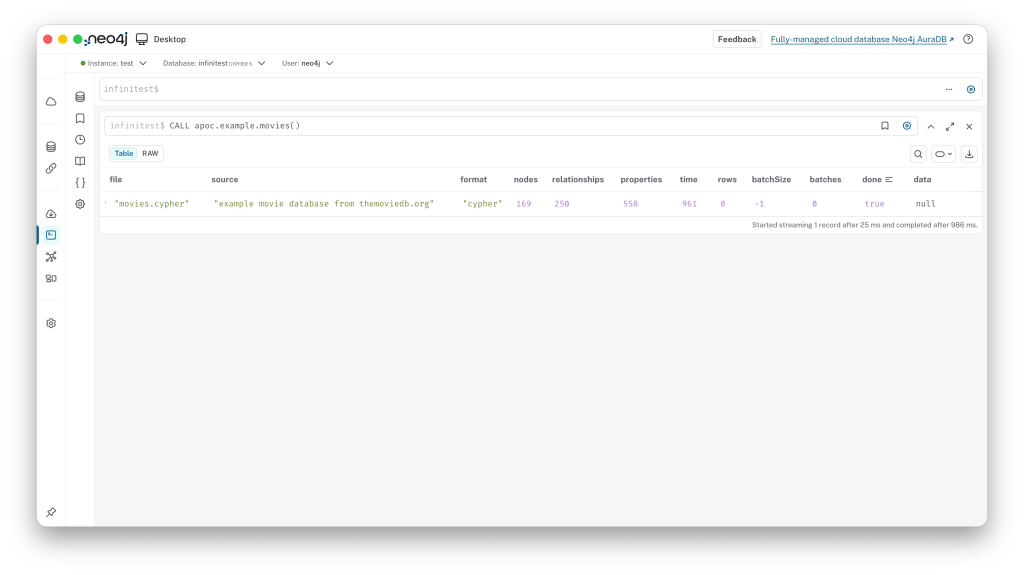
    Now you have loaded the first set of data into an Infinigraph database. If you want to check the result you can simply run:


    MATCH graph=()-[]-() RETURN graph
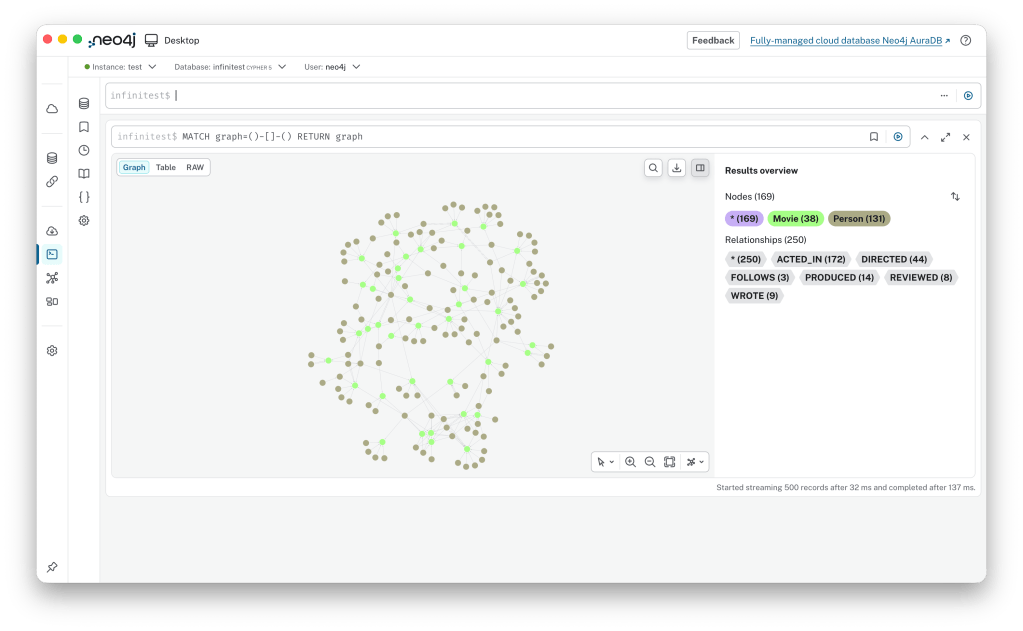
    That’s it! You have simply written into a sharded database and retrieved data from all shards to visualise it.

    Deep Dive: Inspecting Shards

    If you are really curious!

    Now, if you are as curious about this technology as I am, you might want to see what’s inside the shard databases. There are many ways to look into the shards, even though direct user access is blocked.

    First of all, create three databases to use as testbed: g000, p000 and p001:
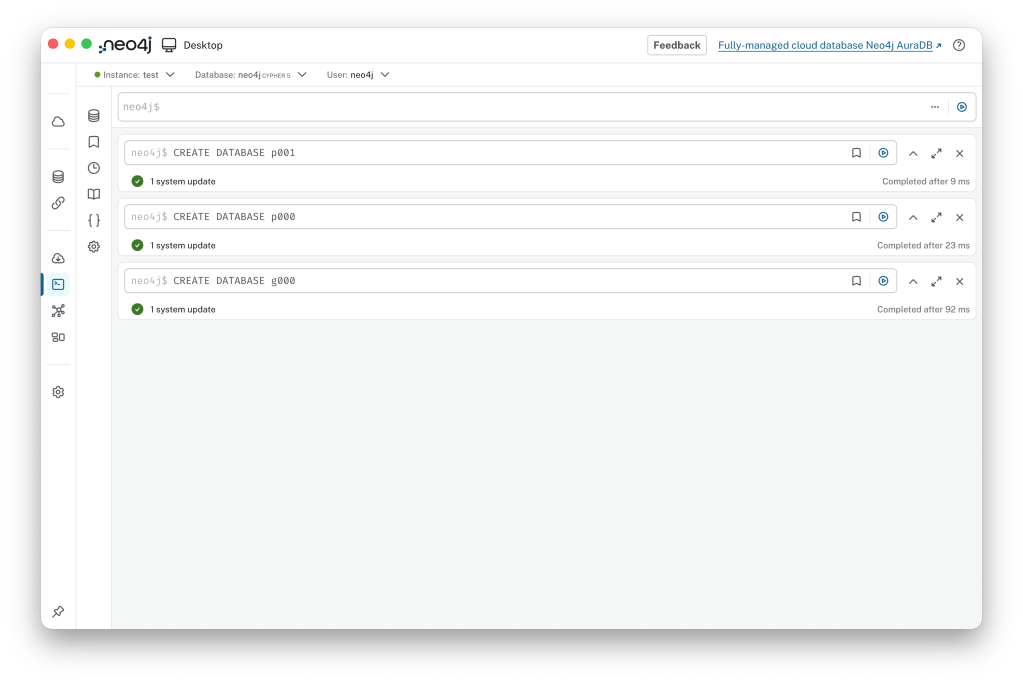
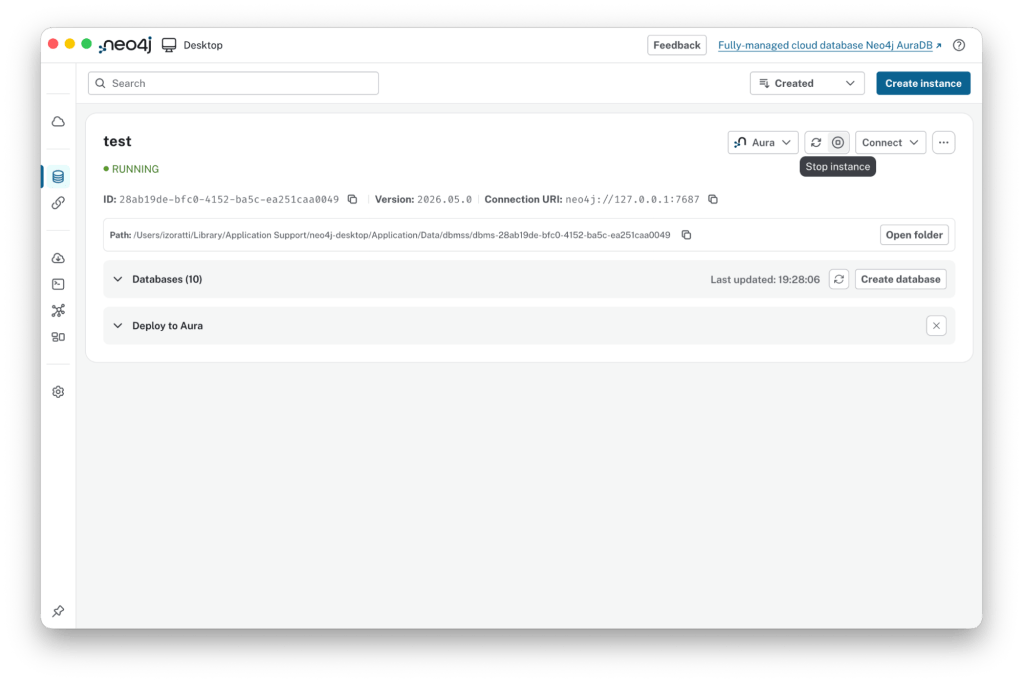
    Now, stop the instance by clicking the Stop button in the top right corner of the Neo4j Desktop window:
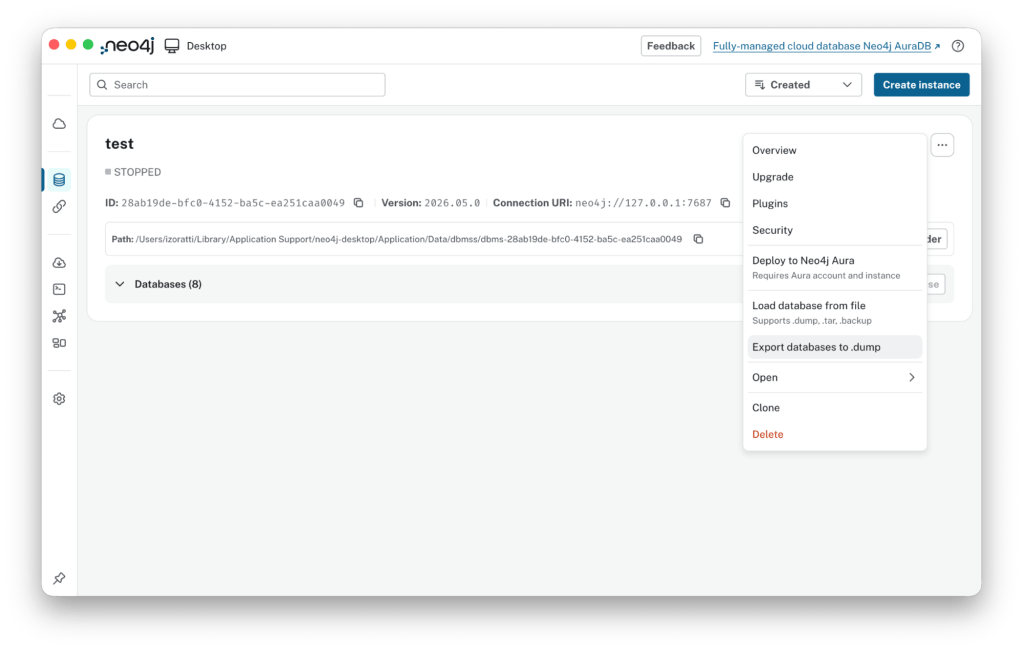
    Then, you can dump the shard databases. To do this, click  the three-dots button and select Export databases to .dump from the actions list:
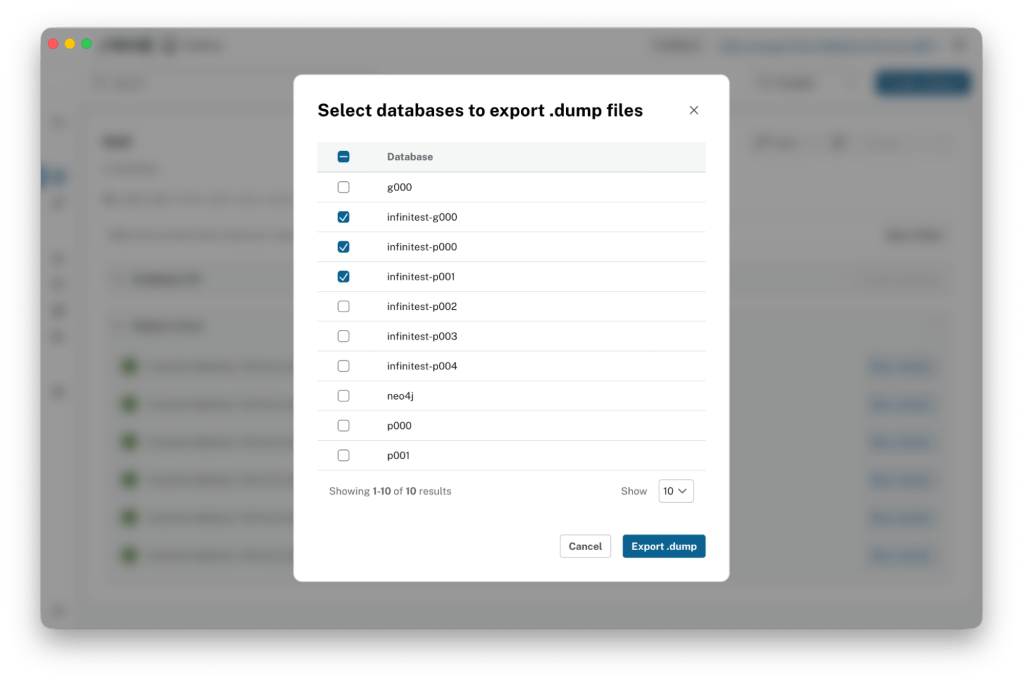
    …here you can select the databases you want to dump:
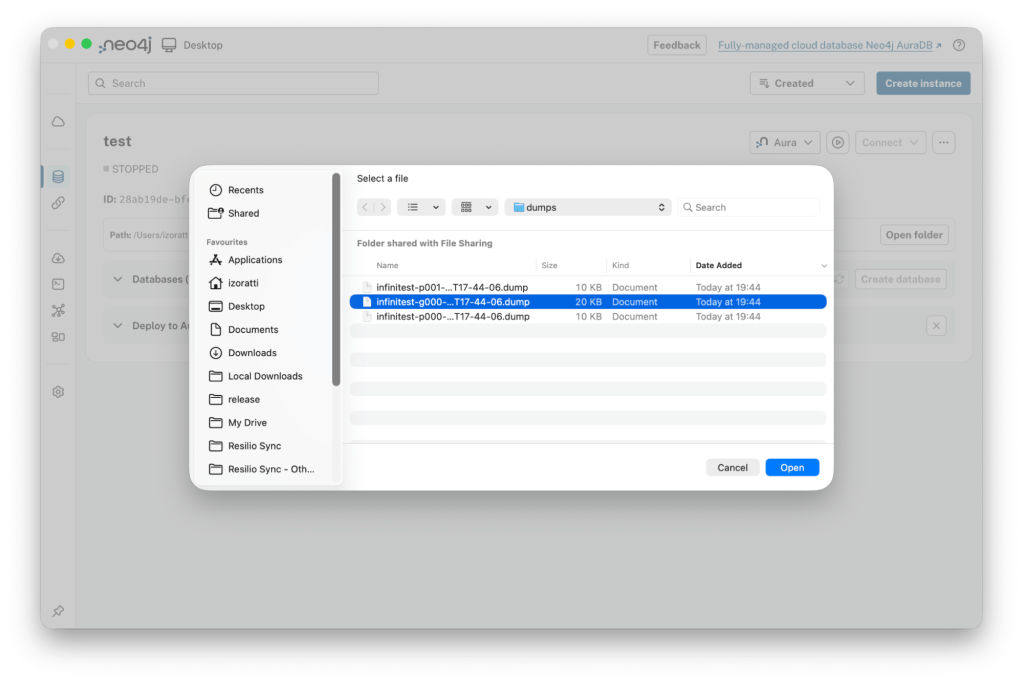
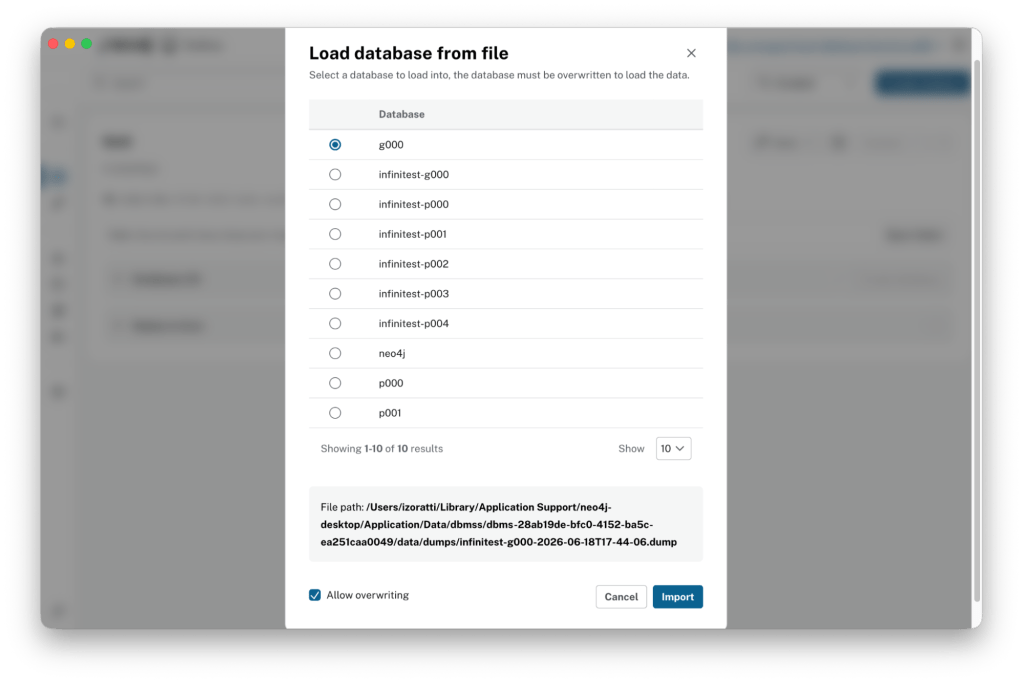
    Once you have completed the dumps, you can reload the shards as regular databases. Select the Load database from file option and choose infinitest-g000… as the database you want to load:
    Unfortunately, Neo4j Desktop automatically starts after a load completes. To load p000 and p001, you must stop the instance again and load those databases the same way (by stopping the server, selecting the dump and loading). Don’t forget to select the right target database and check Allow overwriting.
    As a final result you will see three databases – g000, p000 and p001 – open and available for verification.
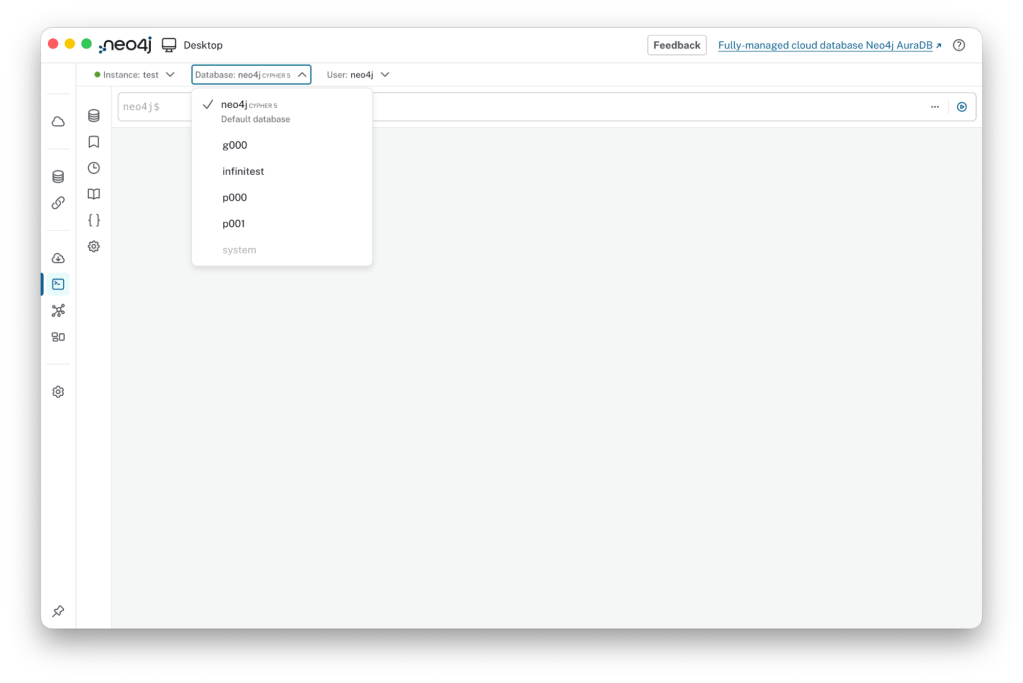
    Let’s Explore!

    Let’s explore the content of the three databases. Starting with g000, the topology is exactly the same as what you see when you executing the identical query on infinitest.
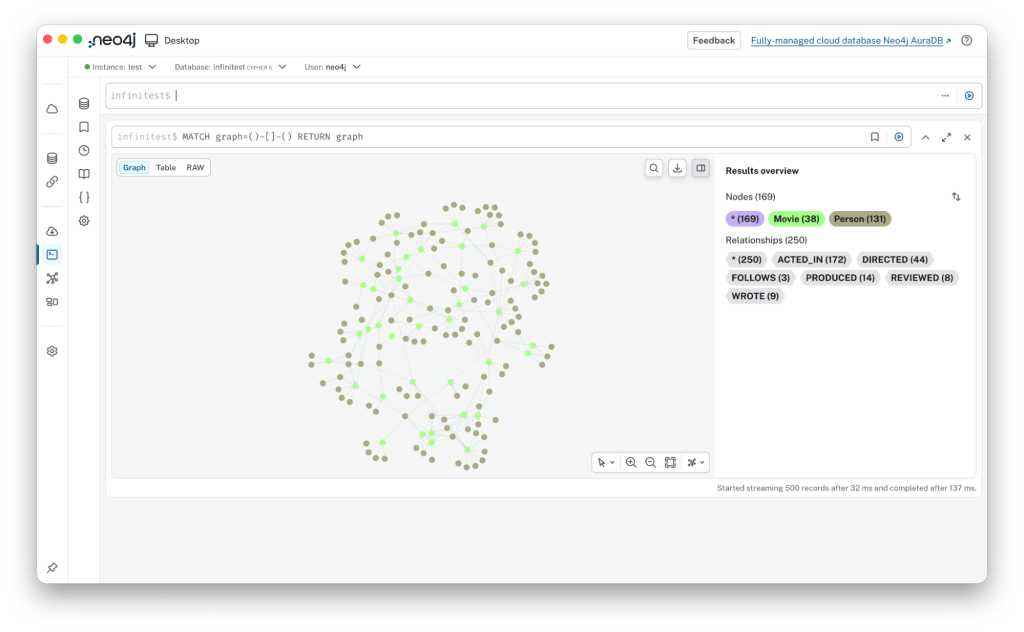
    Digging a bit deeper into the data, here is what we find… Let’s execute a couple of queries on infinitest, on g000, p000 and p001

    The first query will help us understand where the node data is stored:

    // Use LIMIT 25 for infinitest and g000
    // Use LIMIT 5 for p000 and p001
     MATCH (n) 
    RETURN id(n) AS internalID, n
     ORDER BY internalID LIMIT 5

    This is the result, I added some coloured squares to facilitate the reading:
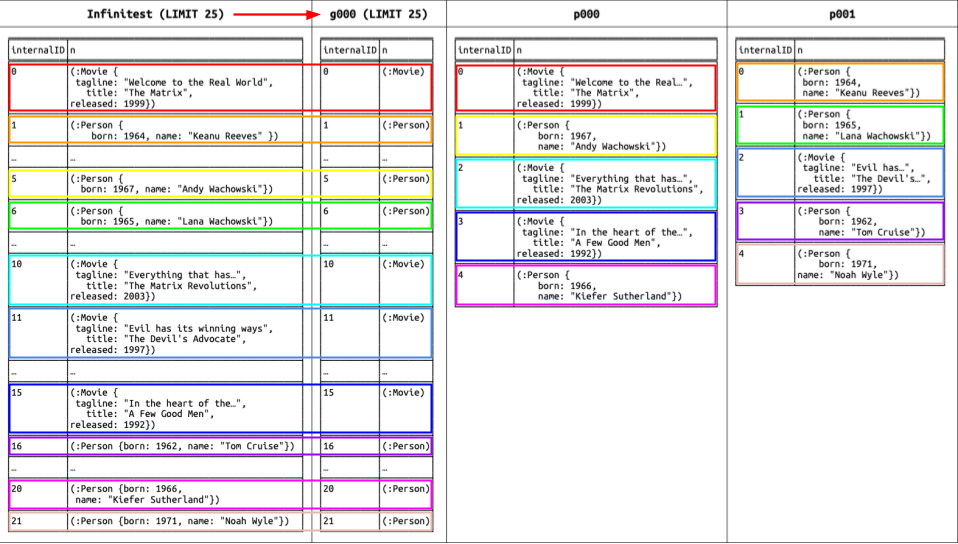
    Here is what we found:

    • g000, (the graph shard), has exactly the same nodes you can see in infinitest, but without properties.
    • Nodes available in g000 are replicated in the property shards using a hash function. Considering we created a database with 5 shards, p000 stores the first, sixth, eleventh, sixteenth, etc., nodes, while p001 stores the second, seventh, twelfth, seventeenth, etc., nodes. You can verify this assumption by looking at the IDs in infinitest to see where the nodes reside.

    Now let’s take a look at the relationships by executing the second query:

    // Use LIMIT 25 for infinitest and g000
    // Use LIMIT 5 for p000 and p001
    MATCH (n)
     WITH n
    ORDER BY id(n)
    MATCH (n)-[r]->(m)
     WITH n, r, m
    ORDER BY id(r)
    RETURN id(n) AS Start, n, id(r) AS relID, r, id(m) AS End, m ORDER BY Start, relID LIMIT 25

    This query is a little more complicated; we want to retrieve the relationships associated with a small number of nodes and order them by starting node and relationship ID just to simplify the checks.
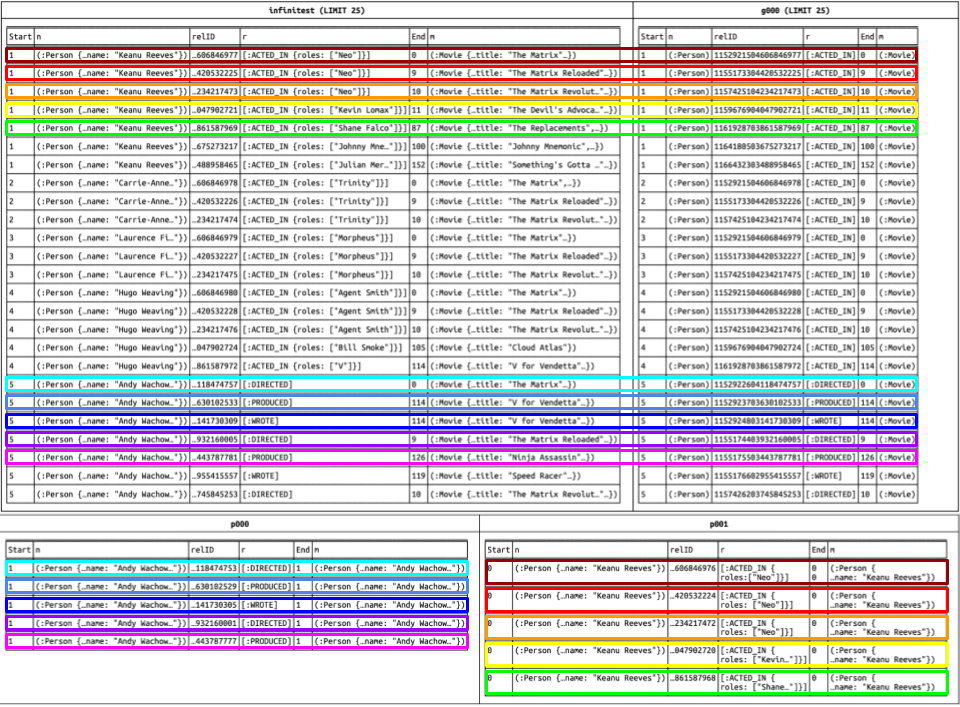
    Here is what we found:

    • Again, g000 has the same nodes and relationships you see in infinitest, but without properties.
    • Relationships in the property shards are “attached” to the starting node. It’s interesting to note that they also end at that same starting node. Because an end node might not reside in the same shard, we decided to ignore the end node in the property shards to maintain full consistency with the underlying store format.

    For these reasons, a node labeled :Person related to Andy Wachowski is connected to a node labeled :Movie with the :DIRECTED type. This is visible in the row with start ID 5 and end ID 0 in infinitest and g000, and it is stored in p000 with start ID 1 (the first line). Note that while there are no properties to store in this case, the relationship is always present in the property shard.

    What’s Next?

    This was a fairly long post, but I hope it satisfied your curiosity! In an upcoming post, we will touch base on resource usage and performance.
  • Yes, Neo4j Scales: Welcoming Infinigraph to the Graph Intelligence Platform

    Let’s be honest about graph databases. For a long time, there was a running joke (or at least a collective anxiety) among DBAs and DevOps engineers: “Graphs are amazing for small, highly connected datasets, but the moment you hit massive scale, good luck.”

    We’ve all heard the warnings. You build a beautiful graph model on your laptop, everything runs flawlessly in Docker, and then the data science or fraud team tells you they need to scale it to tens or hundreds of terabytes. Suddenly, you’re sweating over RAM limitations, vertical scaling costs, and the absolute nightmare of trying to shard a graph without breaking your traversals.

    Well, you can officially put that anxiety to rest. Neo4j has introduced Infinigraph, a brand-new distributed architecture integrated into the Graph Intelligence Platform.

    The headline? Neo4j does scale. Seamlessly. Horizontally. Into the hundreds of terabytes.

    Here is exactly what this means for your architecture, your deployment pipelines, and your sanity.

    The Elephant in the Server Room: Why Graph Scaling Used to Hurt

    Traditional database sharding is relatively straightforward: you split your users by ID or your logs by date, and you push them onto separate machines.

    But a graph is defined by its connections. If you blindly slice a graph across multiple servers, a single multi-hop query (like looking for a fraud ring or tracing a supply chain) forces your database to constantly hop across network boundaries. Your query performance plummets, your network saturates, and your DevOps team starts updating their resumes.

    Because of this, engineering teams often resorted to complex workarounds: separating operational (OLTP) and analytical (OLAP) workloads, building massive ETL pipelines, and duplicating storage.

    Enter Infinigraph: Real Distributed Architecture

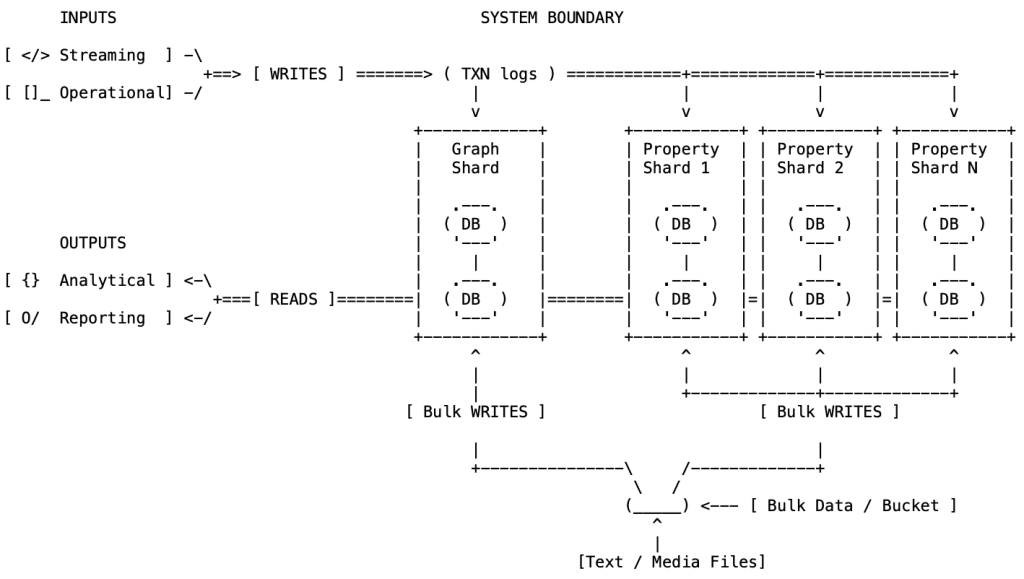
    Infinigraph changes the game by introducing a true distributed graph architecture that scales to 100TB+ workloads. It handles the scaling bottleneck through a clever engineering approach called property sharding. Instead of ripping the core topology of your graph apart, Infinigraph distributes the massive property sets, wide metadata documents, and heavy vector embeddings across a cluster while keeping the core graph structure logically whole.

    Here is how it actually works under the hood inside a Neo4j Autonomous Cluster:

    • The Graph Shard (The Core Topology): One specialized shard stores the absolute essentials—nodes, relationships, labels, and unique identifiers. Because it isn’t bogged down by heavy text or vectors, this shard stays lean and fits into memory for lightning-fast traversals.
    • The Property Shards (The Massive Distribution): Properties are separated, hashed, and distributed evenly across a cluster of specialized property shards.
    • Full High Availability & Fault Tolerance: The graph shard forms a core Raft group that manages transactions, availability, and failover. Data is then propagated to the property shards via transaction logs. Need more read throughput or redundancy? You can use more shard or scale the graph shards by adding secondaries and the property shards by adding replicas.

    From Laptop to Multi-Node Cluster (Without Changing Code)

    The absolute best part of this architecture for developers and DevOps is deployment predictability. The database commands map directly from your local dev sandbox to enterprise production clusters.

    On your laptop, you can play around with standard single databases. If you want to simulate a sharded layout locally for testing, you can use Neo4j’s composite database tooling. But when you move to production, you unleash the full power of Infinigraph using native CREATE DATABASE cluster syntax.

    Let’s look at how the deployment configuration evolves from a traditional cluster setup to a property-sharded Infinigraph setup:

    Traditional Cluster Database (Non-Sharded)

    // Creates a standard database mirrored across 3 core cluster nodes
    CREATE DATABASE foo 
    TOPOLOGY 3 PRIMARIES;
    

    Infinigraph Distributed Database (Property-Sharded)

    // Creates a graph topology shard backed by 4 property shards,
    // each configured with 2 replicas for high availability
    CREATE DATABASE foo
       SET GRAPH SHARD { TOPOLOGY 3 PRIMARIES }
       SET PROPERTY SHARDS { COUNT 4 TOPOLOGY 2 REPLICAS };
    

    From the application’s perspective, nothing changes. Your drivers connect to the cluster exactly the same way. Your developers write the exact same Cypher queries. The graph engine automatically handles routing data to the correct shards behind the scenes.

    Real-World Use Cases: Where This Saves the Day

    To see why this is a game-changer, let’s look at two massive architectural patterns that used to break traditional graph setups.

    1. GenAI & GraphRAG at Scale (The Social Network / Identity Layer)

    Imagine building a global network application: think massive social graphs or enterprise identity layers mimicking an LDBC/SNB benchmark dataset. You have hundreds of millions of users, deep behavioral connections, and a massive footprint of full-text metadata. To make things more intense, you add GenAI capabilities, hanging heavy vector embeddings (like a 1536-dimensional array) off every single node for semantic graph searches.

    • Without Infinigraph: the vector indexes and property bloat choke your page cache. Your cluster nodes stall because they are trying to load gigabytes of vector data into RAM alongside the graph layout.
    • With Infinigraph: your graph shard processes structural queries and multi-hop traversals instantly. The massive vector arrays, text payloads, and bio documents live comfortably across your property shards.

    2. High-Throughput Real-Time Fraud Engines

    Picture a financial transaction graph where thousands of credit card transactions stream into the system every second. Every transaction node carries deep JSON metadata payloads, merchant locations, risk scores, and device fingerprints.

    • Without Infinigraph: High-concurrency writes stall because the single node is busy writing massive blobs of transaction metadata to disk while simultaneously trying to calculate fraud rings in real time.
    • With Infinigraph: Full ACID compliance ensures data integrity across the cluster. Transactions write smoothly because the heavy metadata payloads are hashed and spread across the property shards via transaction logs. Your fraud analysts run real-time queries against the lean graph topology shard without hitting a performance ceiling.

    The Bottom Line

    If you’ve been holding back on using graph technology for your heaviest enterprise datasets because you were worried about hitches at scale, the ceiling has officially been removed. With Infinigraph now available for property-heavy workloads, you can confidently design large-scale Knowledge Graphs, real-time fraud engines, or massive GraphRAG applications knowing the database will grow with your data.

    The era of the infinite graph is here. Go build something massive.

  • Seven Years… Yes, Seven Years!

    Time flies. I feel like only few months ago I was sitting at Caffè Trieste, my favourite spot in San Francisco, or at Clairmont’s in Windsor, where I lived for more than 21 years. Those two places inspired me most, and from them I wrote the majority of my blogs and articles, and designed my products.

    What happened since then? In 2018 I was frequently traveling to San Francisco, where I co-founded Dianomic Systems Inc., a company focused on collecting and managing data for IIoT. I was flying back and forth, often staying longer than just a few days in order to adapt to the time zone and function “properly.” A word of advice: don’t ever do that. It is poison for your body—a constant reset of your biological clock. On my way back to the UK one time, I fainted from exhaustion, headaches, and muscle pain. When I finally made it home, I slept for 48 hours straight. That was my wake-up call: I had to make a big decision. Either stay with my family in Windsor and close to my parents in Milan, or spend most of my time in the Bay Area. I chose the former. With the sadness that comes from having to leave behind something deeply important, I stepped away from Dianomic and joined Neo4j, which allowed me to work from London and travel “less.”

    Could I have traveled less and worked more from home while still supporting a startup? Perhaps—but if you’ve ever built one, you know the stress and sheer energy it requires. I didn’t feel comfortable giving less than what I thought was necessary to nurture a newborn company. On the other hand, Neo4j was a strong attraction. It meant going back to my roots in the database world. I liked the people, I liked the product, and I could see there was a lot of important work to do.

    Here I am, seven years later. Neo4j has nearly quintupled in size. I now have a team helping me manage the product. Engineering has become a wonderful, powerful machine with established processes. In these seven years, just my team alone has delivered a wide range of features:

    Now, seven years on, as I celebrate my 60th birthday and reflect on more than 40 years in the database world (I began by learning and teaching DEC RDB—later Oracle—and building applications with dBase II), I still find joy in innovating and creating new features for this market.

    What’s next?
    You’ll see in upcoming blog posts. I’ve taken on new challenges, perfectly aligned with the spirit of the moment.

    No, I am not jumping on the AI bandwagon by funding a .ai startup or by building AI/GenAI-based services. I believe I can serve the world better by focusing on what I do best: improving and integrating existing technologies to meet both current and future needs. AI will not be truly useful without a solid infrastructure that goes beyond inference servers and search engines. For that, we need to consider two fundamental concepts:

    1. A set of structured facts, best served through knowledge graphs.
    2. A set of rules that can model and achieve goals—whether tasks involve transactions, data generation, or natural-language answers—best delivered through graph intelligence.

    So, stay tuned. Another seven years of innovation may come.